
Platform
Industries
Journeys
Resources
Partners
Company

Self-service for every customer, on your own records.
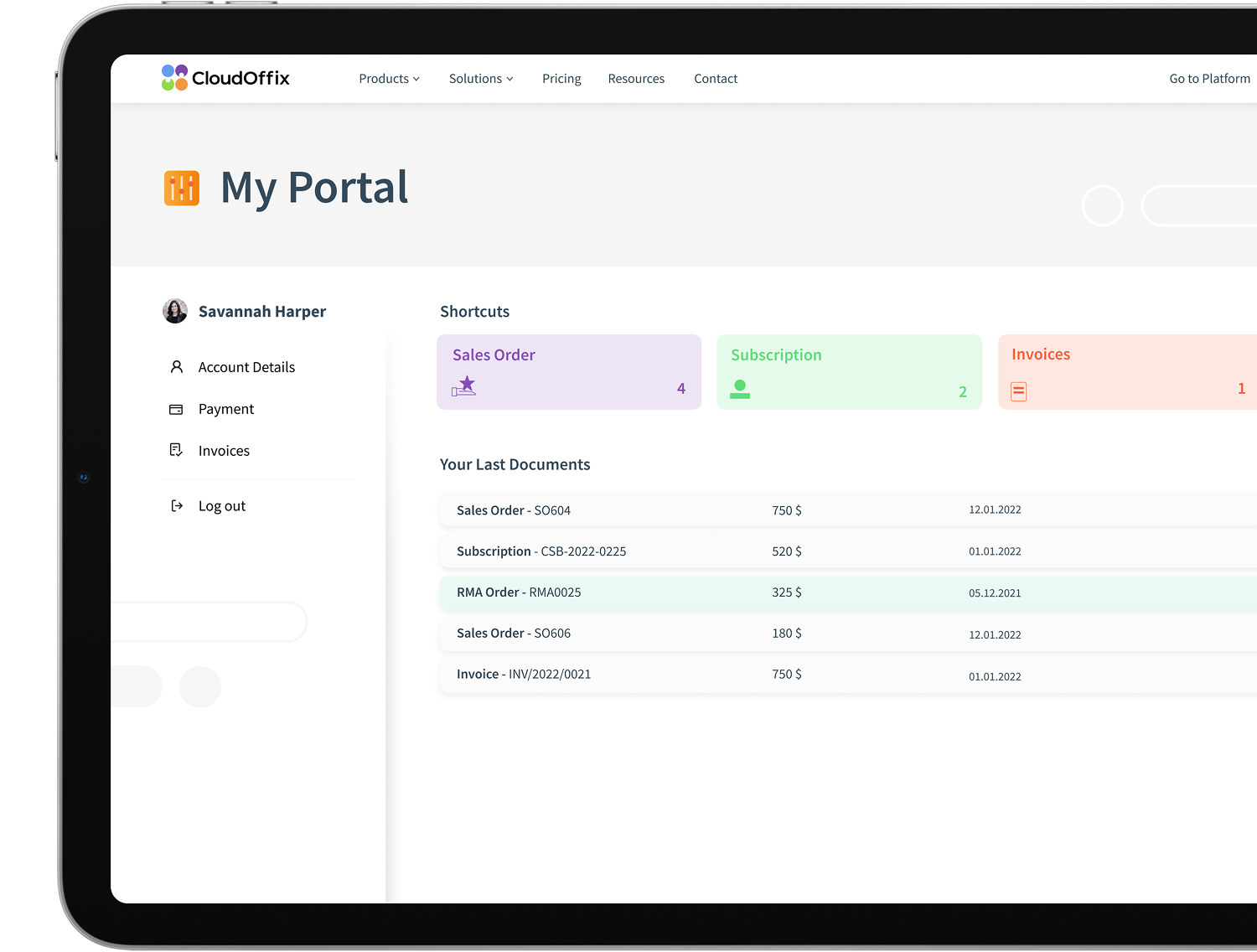
The CloudOffix customer portal gives customers a secure place to sign quotes, follow orders, pay invoices, manage subscriptions and open support tickets, all from the same records your team works on.
Everything customers ask you for, in one place
Sign and pay quotes
Customers open the online quote, add optional products, sign with their name and pay to confirm.
Orders and deliveries
Every order with its status, PDF and delivery slips.
Returns
Customers request a return directly from an order and follow it to the end.
Invoices and payments
Open and paid invoices, PDF download and online payment of open invoices.
Payment methods
Saved payment methods for faster checkout and recurring billing.
Subscriptions
Active subscriptions and contracts, with the payment method used to renew them.
Support tickets
Open tickets, add replies and follow every ticket to resolution.
Projects and tasks
Customers follow the projects and tasks you share with them.
Account and profile
Contact details, addresses and sign-up in a secure account.
Add the pages your customers need.
Any app you build with the CloudOffix App Builder can have its own list and detail pages in the portal, with comments on each record.
Warranty claims, service requests, documents or anything specific to your business appear next to orders and invoices.
Working with resellers and dealers?
The partner portal gives resellers, distributors and dealers their own workspace for leads, deals, orders and performance.
Customer portal questions
Can customers sign quotes online?
Yes. Customers accept a quote with their name and signature, and can pay at the same time to confirm the order.
Can customers pay invoices in the portal?
Yes. Open invoices can be paid online, and customers can save a payment method for later payments.
Can we add our own pages to the portal?
Yes. Apps built with the App Builder can be published as portal list and detail pages.
Explore Sales Cloud
Open your door to your customers.
Tell us what your customers ask your team for today, and we will show it in the portal.