AI won’t fix HR chaos. Connected data will.
CloudOffix HR Cloud connects hiring, onboarding, engagement, performance, and AI — turning fragmented HR systems into one intelligent employee experience.
Watch the video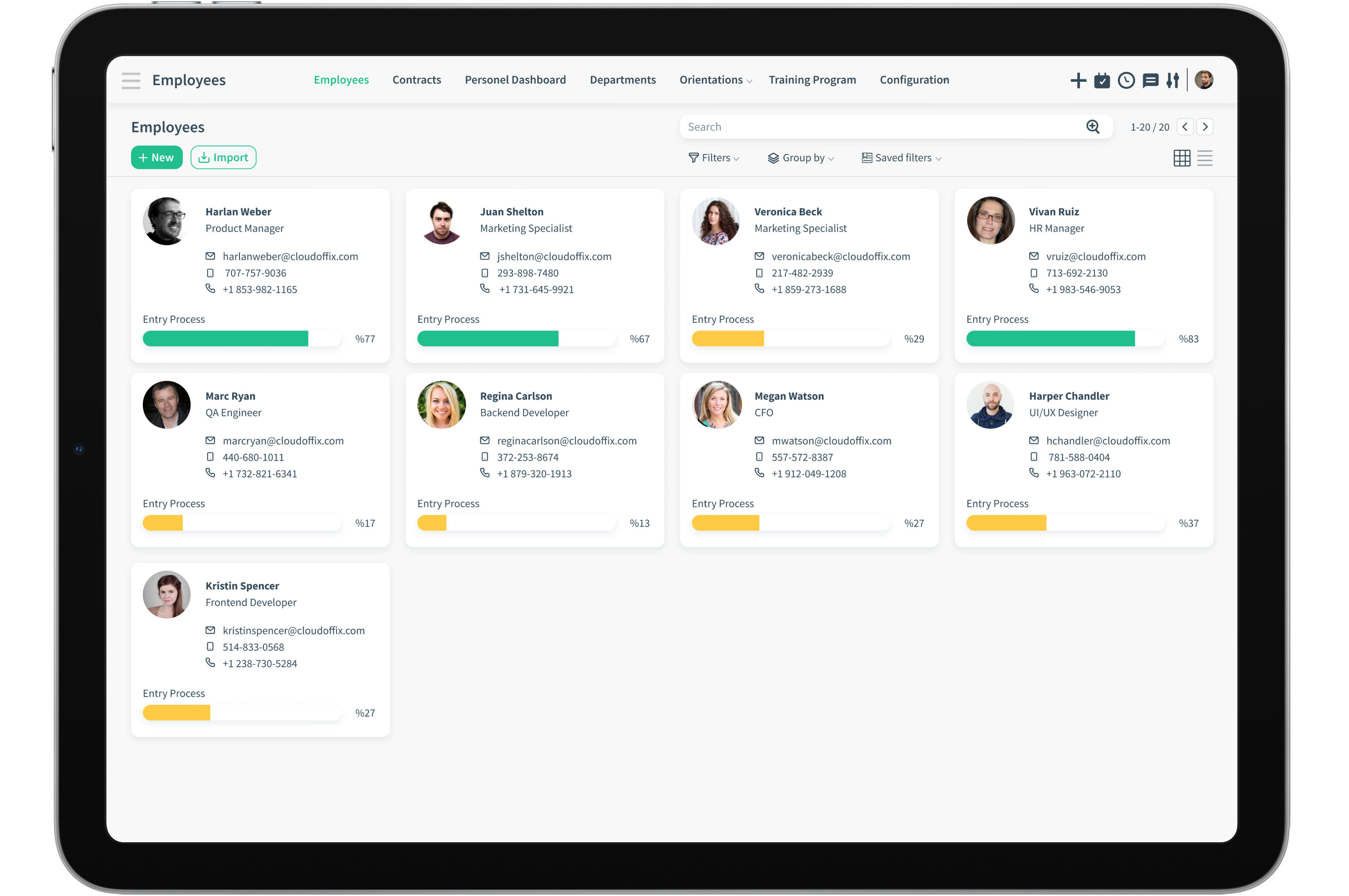
Recruitment
Do your business a favour. Build your dream team
using CloudOffix recruitment
Automations
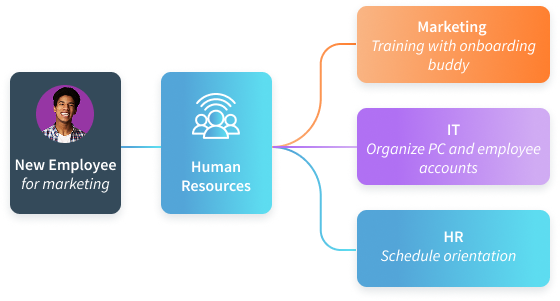
Automated responses and tasks as soon as your candidate onboarding begins.
Like an orchestra maestro send automated emails and notifications to relevant staff eg: IT to get PC ready for the new employee

Open Positions
You have open positions and looking for the best candidate. Create and publish your open positions on your website using the drag and drop website builder feature

Job Boards
Candidates can search and sort through job postings and apply for the positions you have advertised on your website, through your website job board!

CV Pool
Archive all incoming CV's. Sort and filter through to find the perfect match for the job as ne need arises.
Assets Management
Onboarding and Off-boarding are easier now.
Company inventories are recorded and simple to manage.

Purchase Record
Create bulk buying records for asset groups.

Asset List
Obtain a complete and detailed list of company assets.

Request
Employees can request needed assets from department.

Assign
Assign and unassign assets to employees as part of the onboarding and off-boarding processes.

Form
Handover and return forms are created simultaneously according to assign record.

Repair
Asset repair requests are managed by the responsible, with activities automatically assigned.
360 Degree Appraisal
Complete circle around the employee!
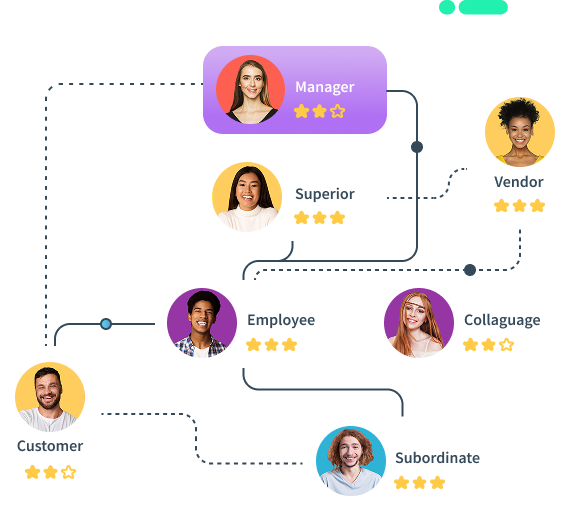
Evaluate your employee or manager by the people in their circle such as their managers, peers, subordinates and even customers and vendors to get differing points of views. Send surveys to be completed to participants, send notifications to remind them, and get detailed reporting throughout the whole process.

Improve Team Building
Peers get to know each other’s strengths and weaknesses and learn to work as a cohesive team. This will increase productivity and build strong teams

Share and Track Your Surveys
Share your surveys, track who has opened the email, and who has clicked the link.

Well trained staff
Identify training needs for your staff and take necessary action to stay on top of the game

Get Detailed Reporting
Get accurate detailed reports and Gantt charts. Filter your way through to get the right data.

Build, Send and Evaluate Surveys
Design beautiful and engaging surveys that are sure to get responded.

Goals and Targets
Set and work towards achieving your goals and targets.
Surveys
Have surveys ready for your candidates to fill either
before or after their interview, so that you can score
them according to your criteria


Personality Assesments
Use surveys for personality assessments and match the best personality to the correct position. Make everything crystal clear.

Competence Tests
How competent is the candidate? Objective tests can help HR professionals make the best choice.

Employee Satisfaction Surveys
Employee satisfaction surveys can improve company turnover rates. Secure a stable corporate memory by maintaining your staff content, and therefore preventing resignations.

Opinion Surveys
Conduct opinion surveys when making decisions involves the whole company.

Interviews
Sort your interview scheduling without the hassle. Save data regarding the interviews you conduct. Store questions and answers which are accessible long after the interview has taken place. Use these for the next round of the hiring process.

Notifications
Don't leave your candidates in a never-ending wait for a response during the recruitment process. Candidates usually wait eagerly to find out how they performed during their interview and recruitment process. Automatically notify them as they move through each phase.

CV Bank
Managing CV's is demanding and very important, due to the sensitive content they carry. Store all your CV's safely in one place and return to them as necessary at a later date. Sort your search according to candidate experience, location, or any other criteria you see fit.

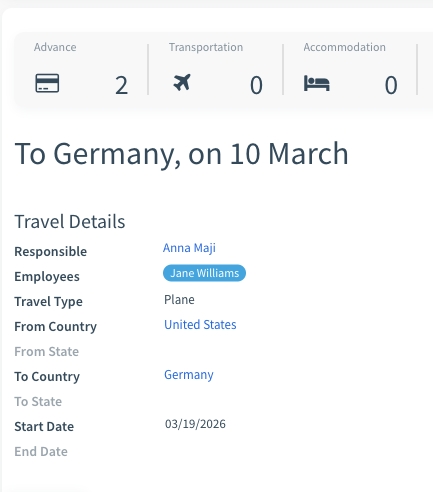
Expense Management
No Detours! Send your expense emails directly to the intended recipient.
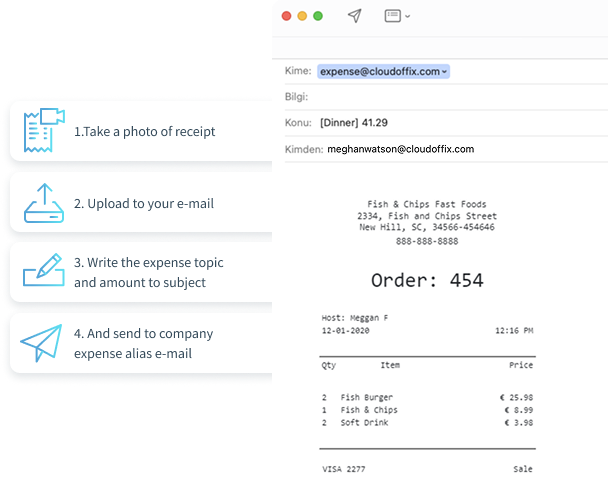
Use the company alias email address to enter an expense record instantly

Mobile App
When your salespeople are out in the field closing deals, the last thing they need is to think about going back to their desks to enter their spendings. CloudOffix app gives the freedom to enter expenditure and receipt details on the go.

Expense Approval Hierarchy
Not all expenses in a business are travel related, nor are they restricted to management or the sales team. Sometimes employees can spend unnecessarily, which in turn can add up and become a burden for the company. Create an approval hierarchy for expenses.

Reimbursements
When employees submit an expense claim and it gets approved by the finance team, then approved expenses are reimbursed to employees.

Upload Receipt Photos
Trying to keep tabs on your expenditure receipts while you are on the go and trying to close deals could be quite tedious. Take a photo and upload them to your expense management system in a matter of seconds.

Multi-Currency
When your employees make international trips, it is only natural to have multi-currency expenses. Your expense management software therefore must be able to cater for foreign currency recording and converting to your local currency for accounting purposes.

Expense Reports
CloudOffix offers complete visibility into your spending habits in real time. You can analyze employee expenditure and avoid unnecessary spending.
Leave Management
Enabling employees to view, request, and track leaves with seamless approval follow-up for an enhanced human resources experience.
Leave request create
Employees can easily create a leave request with a few clicks on their screen or on their mobile devices.
Department Manager Approval
Once a leave request is submitted, it is automatically forwarded to the relevant manager for approval.
HR Approval
After manager approval, the request is sent to HR for final confirmation and entry into the company payroll.
Leave Confirmed
The employee is automatically notified via email once their leave has been approved by both their manager and HR.
Remaining leaves automatically updated
Leave balances are automatically updated in the organization's HR system, ensuring accuracy and transparency.

Easy to Use Leave Requests and Approvals
Although the 'time off' management process differs for each organization.

Various Leave Types
Create the types of leaves required by your organization.

Balance Calculation
Employees can see exactly how many days leave they have remaining.

Resources Planning
Visible on shared calendars upon approvals. Plan your resources.

Transparency
Be transparent with your leaves and be able to plan ahead.

Fully Customizable
CloudOffix gives its users the option to add their own finishing touches.
Organizational Chart
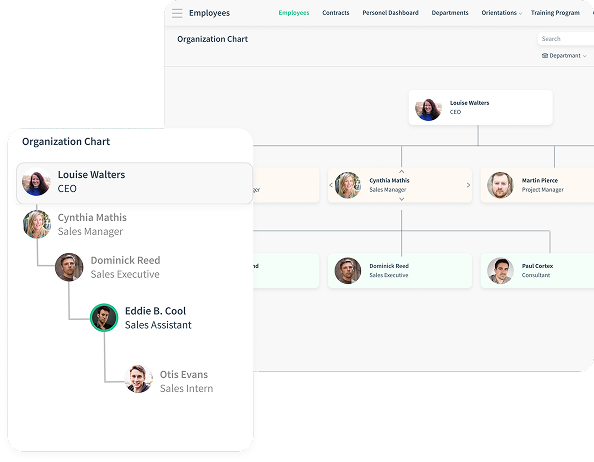
See the organization from a birds eye view or get down to the nitty gritty of departments! The organizational chart can be filtered using specific attributes such as departments, branches, or even by managers.
This feature will show the employee hierarchy within the filter without the need to see the chart as a whole.
Employee Database Management
Store and manage all employee information through a neat and accessible database.


Employee Training and Education
Track participation and progress with indicators and test understanding with quizzes.
Content
Create as mini courses as you can teach using multimedia such as PDF, slides, web pages and embedded video.
Teaching
Track participation and progress with indicators and test understanding with the quizzes.
Evaluation
Use various question types to evaluate, set passing scores, measure learning with instant feedback and a chance to restart the course if necessary.
Certification
Participants who have successfully completed the course can receive the certificate either receive their certificates by email, or download PDF version instantaneously

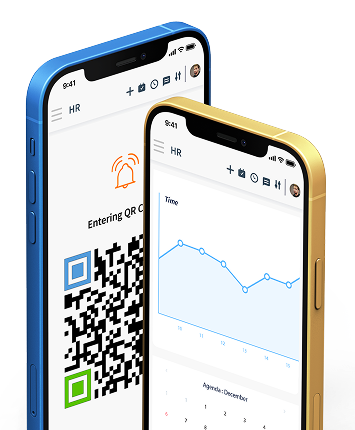

Customization
Out-of-the-box, one size fits all solutions don't do justice for all businesses. CloudOffix offers the opportunity to customize and make it your own.
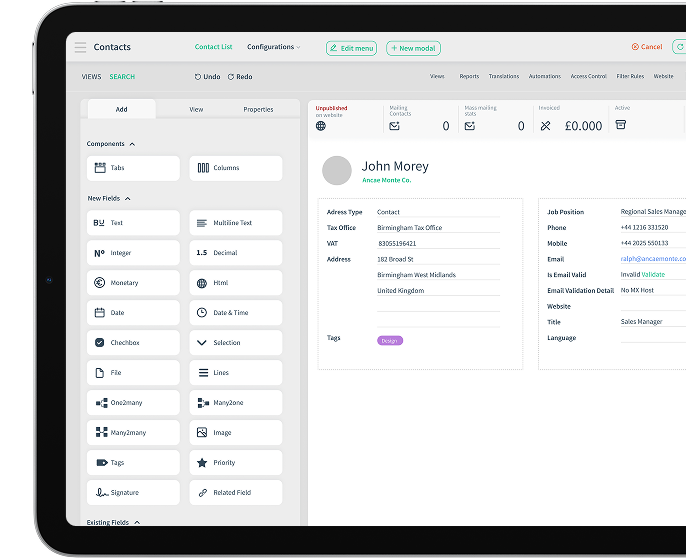
No Code Approach
Introducing the App builder





Low-Code Approach
Whenever you fall short, or simply want something completely different, We can save the day! Our dedicated development team can tailor-make your platform to fit just right.
Super custom made business platform solution for super unique businesses!