
Platform
Industries
Journeys
Resources
Partners
Company

Deliver what was sold, with the context that sold it.
Project Cloud is ready-to-use project management: tasks, Kanban and Gantt views, agile sprints, risks, timesheets and billing, connected to the deal that started the project. AI agents can flag risk and prepare status; project managers decide.
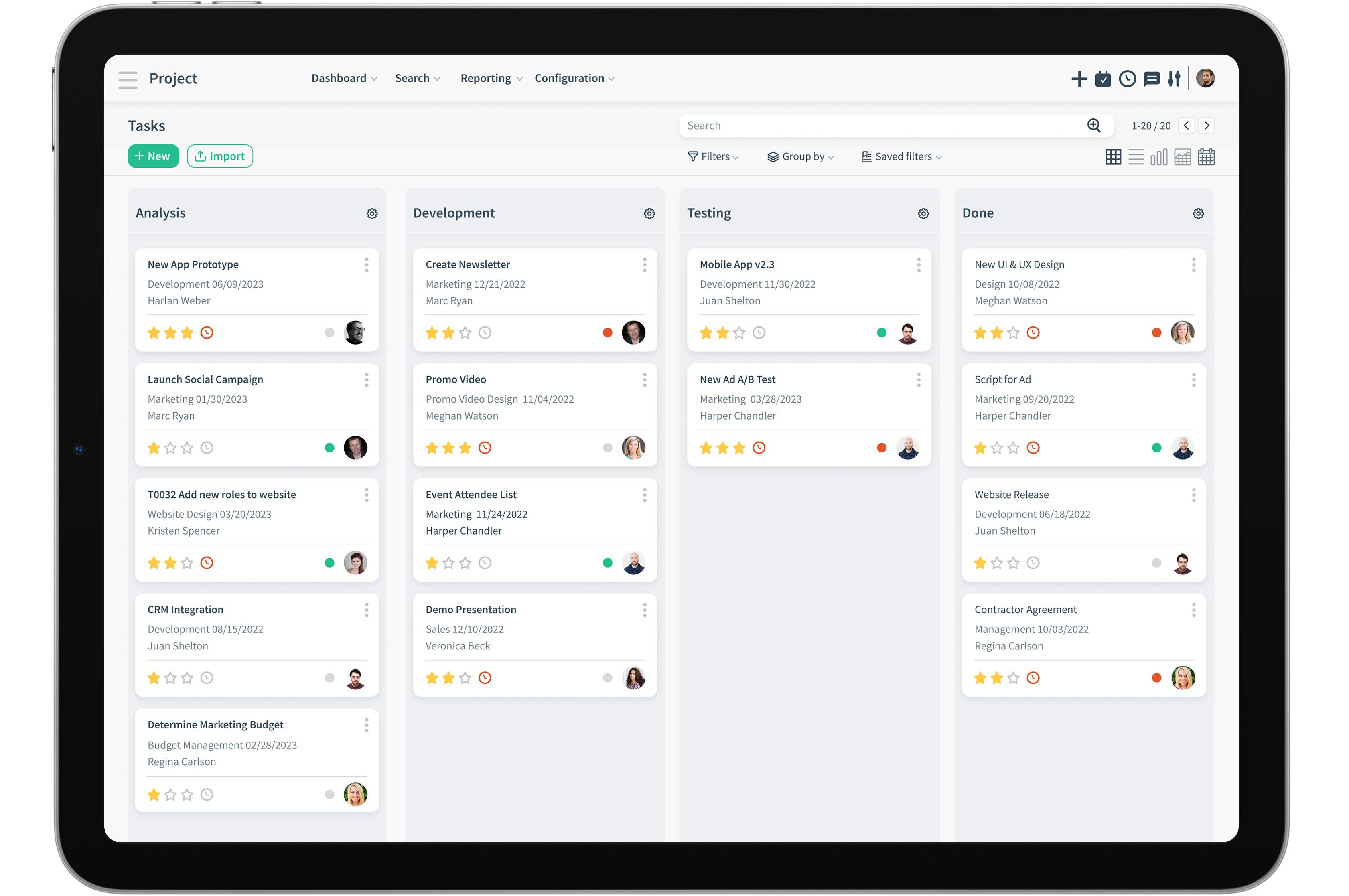
Plan, run and deliver every project
Goals within goals
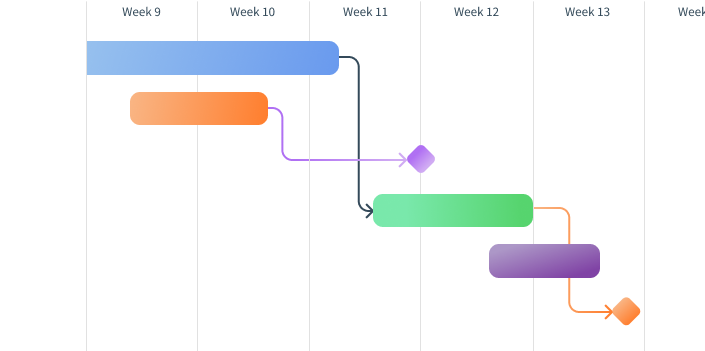
Break big projects into tasks and subtasks, and use task dependencies to see which work must finish before the next begins. Milestones keep teams on track and motivated all the way to delivery.
- Projects, tasks and subtasks
- Task dependencies
- Milestones on a Gantt chart
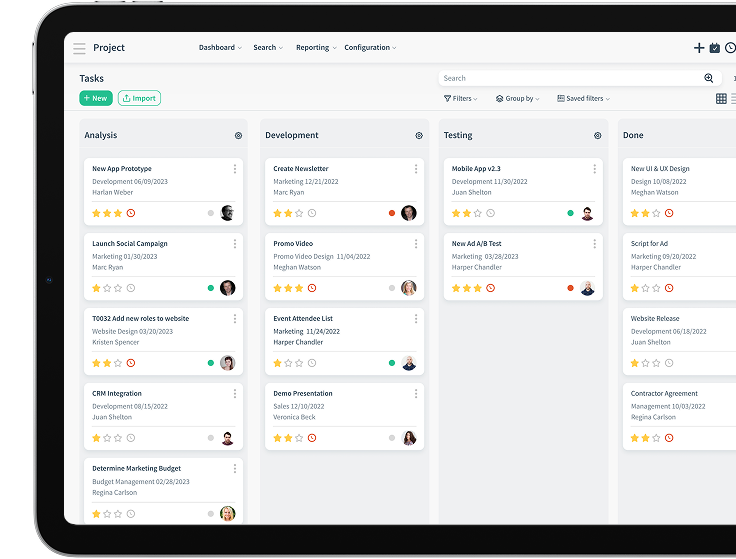
Kanban view
Drag and drop work between as many stages as you need, fold stages you don't use, and get a bird's-eye view of what is done, what remains and what depends on what.
Agile project management
Release deliverables continuously instead of waiting for everything to finish. Capture user stories, plan sprints, prioritize backlogs and track progress on agile boards. Hold daily scrums with native Microsoft Teams and Zoom integrations.
- User stories
- Sprints and backlogs
- Scrum meetings
- Agile boards
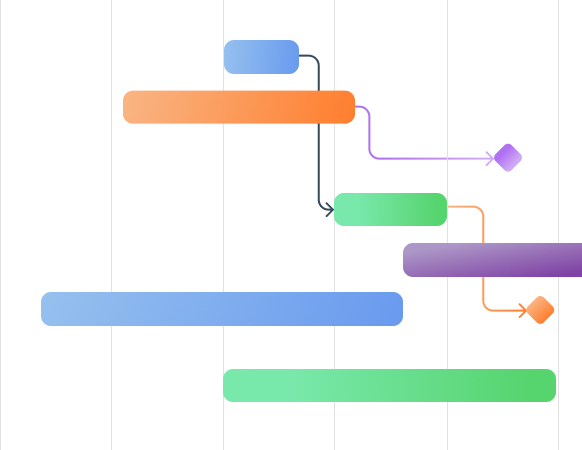
Gantt chart views
See every task and subtask with start and end dates and dependencies on one timeline, so nothing slips through the cracks.
Stay ahead of what could derail delivery
Not all risk is negative. Be ready for both.
Identify
Walk through your project from every angle to find the obstacles that might get in the way.
Analyze
Estimate the probability of each risk with qualitative and quantitative analysis, and see pre-calculated risks across all projects.
Prioritize
Weigh trivial risks against threatening ones and take the right action for each.
Assign ownership
Give each risk a supervisor who oversees it and drives a resolution.
Respond and monitor
Set response actions and teams, and monitor risks with tools like Gantt charts before they happen.
Everyday execution, fully connected
Assign tasks
Give tasks to the right people with start and due dates so no deadline is missed.
Billable or unbillable
Billable tasks are calculated automatically and ready to invoice.
Stages and to-dos
Set up as many drag-and-drop stages as you need, and check off to-do lists as you go.
Timesheets in real time
Timesheets update straight from completed tasks, with weekly or monthly reminders for the team.
ExploreTimesheet reporting
Report by project, employee, task and billing rate, with a bird's-eye view of cost and revenue.
Calendar
Manage your team's meetings, reminders and recurring events, integrated with Microsoft Teams and Zoom.
ExploreReal-time insight into every project
Use on-demand, up-to-the-minute reports alongside predefined ones. Customize dashboards to spot bottlenecks and blockages before they delay delivery.
Send NPS surveys to customers after each task and use the feedback to improve.
- 01Team workload view before assigning tasks
- 02Duplicate recurring projects in one click
- 03Followers keep managers in the loop
- 04Context-based collaboration with attachments
From won deal to invoiced work
Project managers and risk owners decide; agents watch the plan and prepare what people need to act.
- 01
Hand over the commitment
When a deal is won, the project starts from the agreed scope. An agent can prepare a kickoff brief from the opportunity, quote and customer history.
CloudOffix appAI agent - 02
Plan the work
The project manager breaks the work into tasks, subtasks, dependencies and milestones, and checks team workload before assigning.
PeopleCloudOffix app - 03
Watch for risk
An agent surfaces overdue tasks and blocked dependencies. Risk owners analyze, prioritize and decide the response.
AI agentPeople - 04
Track time as work happens
Timesheets update from completed tasks, with billable and unbillable work kept apart.
CloudOffix app - 05
Bill and learn
Billable work flows to Invoicing Cloud at task or project level, and NPS surveys after each task feed improvement.
CloudOffix appPeople
Adapt Project Cloud to how you deliver
Configure Project Cloud without code, build what your process still needs with CloudOffix Agentic App Builder, or go further with low-code help from our team.
- Custom layouts and dashboards
- Custom fields on any screen
- Saved views and filters
- CloudOffix Agentic App Builder
- Permission and visibility controls
- A dedicated business analyst
- An agile development team
- Tools for your in-house developers
Dive deeper into Project Cloud
Try it on your own business.
Try Project Cloud free for 15 days, or book a demo and bring a project type that keeps slipping between sales, delivery and billing.