Your sales team deserves more than a CRM.
CloudOffix Sales Cloud brings customer data, pipeline, collaboration, automation, and AI into one connected revenue workspace—so every rep knows what to do next and every leader can see what is moving.
Watch the video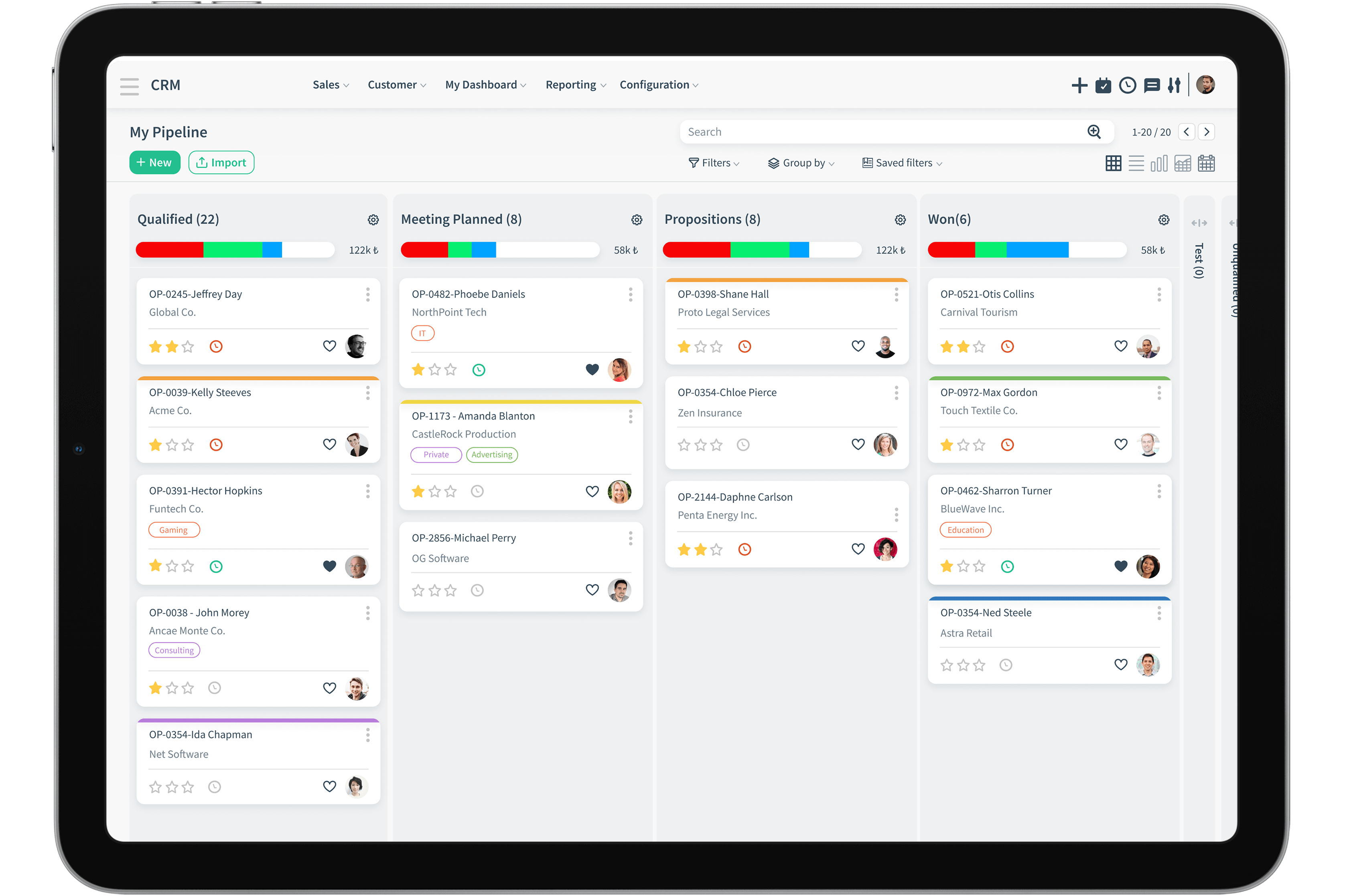
Sales Automation
Keep every opportunity moving—without adding more admin work.

Lead Management
Capture leads from forms, email, chat, campaigns, and other channels. Use AI-assisted scoring to prioritize and route each lead while intent is still high.

Contact Management
Give every rep a unified account timeline with conversations, activities, proposals, and open requests—so every interaction starts with complete context.

Workflow Management
Automate assignments, follow-ups, approvals, notifications, and field updates with rules and triggers that match the way your team sells.
Kanban View
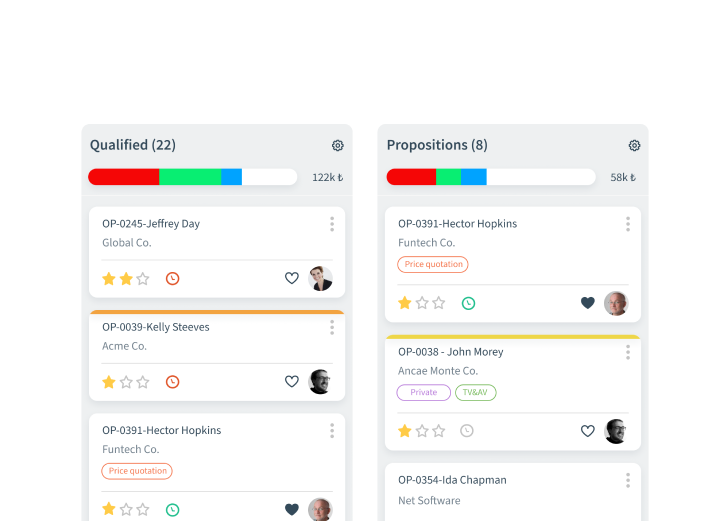
Turn your pipeline into a clear, action-ready workspace. Reps can see every opportunity, stage, owner, value, and next activity at a glance—and move deals forward without switching between screens.
Sales leaders get an immediate view of pipeline health, stalled deals, upcoming commitments, and potential revenue. The result is faster coaching, cleaner forecasts, and fewer opportunities lost to inaction.
Multi-Channel Engagement

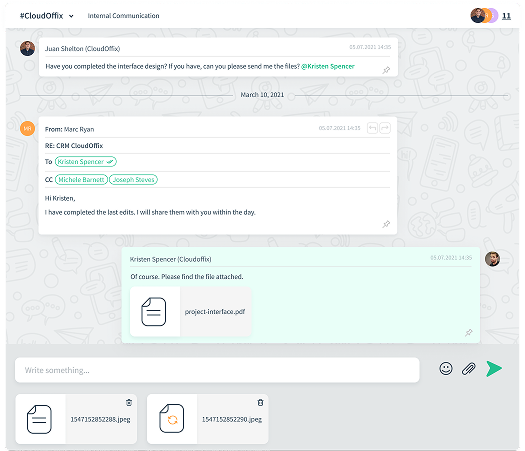
Send and receive email directly from the customer record. Every thread stays connected to the right contact, account, and opportunity for a complete history.

Social
Turn social conversations into measurable sales activity. Capture inquiries, preserve source context, and move qualified engagement into your pipeline.

Customer Portal
Give customers a secure self-service experience to review offers, place orders, manage subscriptions, access documents, and follow requests on their own time.

Revenue Analytics

Reports
Build real-time reports across pipeline, activities, campaigns, conversion, and team performance—without waiting for manual spreadsheet updates.

Analysis
Explore performance by owner, team, product, territory, source, or stage to understand what is driving results and where revenue is getting stuck.

Forecasts
Combine live pipeline data, probability, and historical performance to create forecasts leaders can review, challenge, and act on with confidence.

Dashboard
Give each role a focused view of the metrics, alerts, and work that matter most—from rep-level execution to executive revenue visibility.
Lead Capture
Turn every inbound signal into a qualified next step.

Create leads from existing contacts

Convert live chat into leads

Identify high-intent visitors

Capture email inquiries
Capture demand from every customer touchpoint, preserve the original source, and automatically route new leads with the context sales needs to respond intelligently.
A Sales Process Your Team Will Actually Follow
-
Route Every Lead to the Right Owner
Automatically assign leads by territory, product, segment, source, workload, or any rule your business defines. Reps respond faster, and managers always know who owns the next action.
-
Stay Close to Priority Leads
Follow strategic leads and receive timely updates as activity, status, or ownership changes. High-value opportunities stay visible even when they are managed by another teammate.
-
Convert Qualified Demand Into Pipeline
Convert qualified leads into opportunities in one step while preserving source, engagement history, notes, and ownership. Sales starts with context instead of starting over.
-
Guide Opportunities Through Every Stage
Define stage-specific actions, required information, approvals, and exit criteria. Reps get a clear path forward while leaders gain a consistent, measurable pipeline.
-
Grow the Relationship After the Win
Maintain a complete account view after close, assign the right account owner, and identify expansion, renewal, and cross-sell opportunities from real customer activity.
Move From Opportunity to Revenue
Connect sales and commerce in one operating flow.
Bring product, inventory, payments, orders, invoicing, and delivery into the same customer journey. Your team can sell online without losing operational control.

Inventory
Publish products quickly and keep availability connected to live inventory.

Sell online
Accept secure online payments through integrated payment providers.

Process
Carry confirmed sales into invoicing, fulfillment, and delivery without re-entry.
Close the Deal. Keep the Process Connected.
Website Builder
Drag & Drop
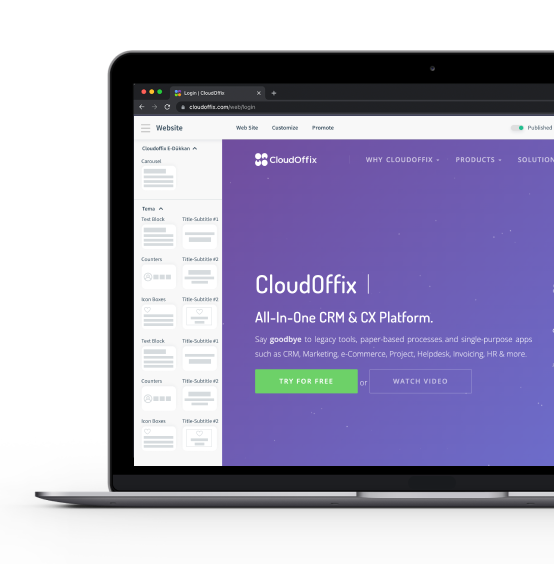
Launch campaign pages, product experiences, and customer-facing content with a visual editor. Every form, visit, and conversion can flow directly into the same customer data model.
HTML Form Builder
Create responsive forms that capture the information your process actually needs. Submissions can create or update contacts, leads, requests, and workflow actions automatically.
Code Your Own Website
Extend the visual experience with HTML and CSS when you need more control. Developers can customize presentation without disconnecting the website from sales data, permissions, or automation.
Tracking & Optimization

Visitor Tracking
Connect known and anonymous activity to the customer journey so teams can recognize buying signals and follow up with better timing.

Page Tracking
Measure visits, clicks, engagement, and conversion by page. See which content attracts attention and which experiences move buyers forward.

SEO Optimization
Manage page titles, metadata, keywords, and search-ready structure from the same workspace. Improve discoverability while keeping content and conversion data connected.

Performance Management

Forecasting
Build a more credible forecast from live opportunity data, stage probability, expected close dates, and historical performance.

Territory Management
Structure territories by geography, segment, product, or business rule. Balance ownership, clarify coverage, and make performance easier to compare.
Map View
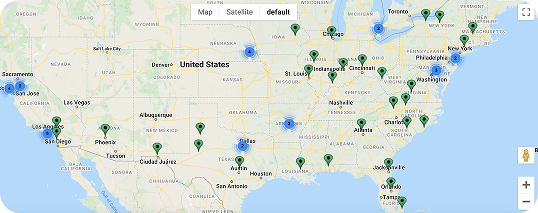
Visualize accounts, contacts, and active opportunities by location to understand coverage, whitespace, and regional concentration.
Field teams can plan efficient visit routes, review nearby opportunities, and open the full customer record before arriving—turning travel time into selling time.

Built Around Your Business
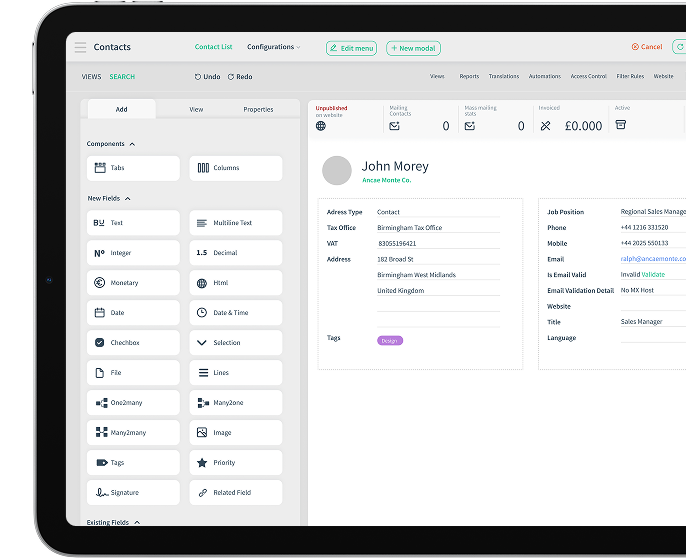
Your revenue process should not be forced into a rigid CRM template. Configure data, screens, workflows, permissions, and experiences around the way your teams actually operate—without fragmenting the platform.
No-Code App Builder
Adapt faster without creating another disconnected tool.





Low-Code Extensibility
When requirements go beyond no-code configuration, extend the platform with low-code development, APIs, and integrations—without creating a separate system that teams must maintain or secure.
One governed foundation, flexible enough for the processes that differentiate your business.