
Platform
Industries
Journeys
Resources
Partners
Company

Odoo vs CloudOffix: which platform fits your front office?
Odoo is an ERP-oriented application suite. CloudOffix gives you ready-to-use apps for sales, marketing, projects, helpdesk and HR on an AI-native foundation, and can complement an existing ERP.
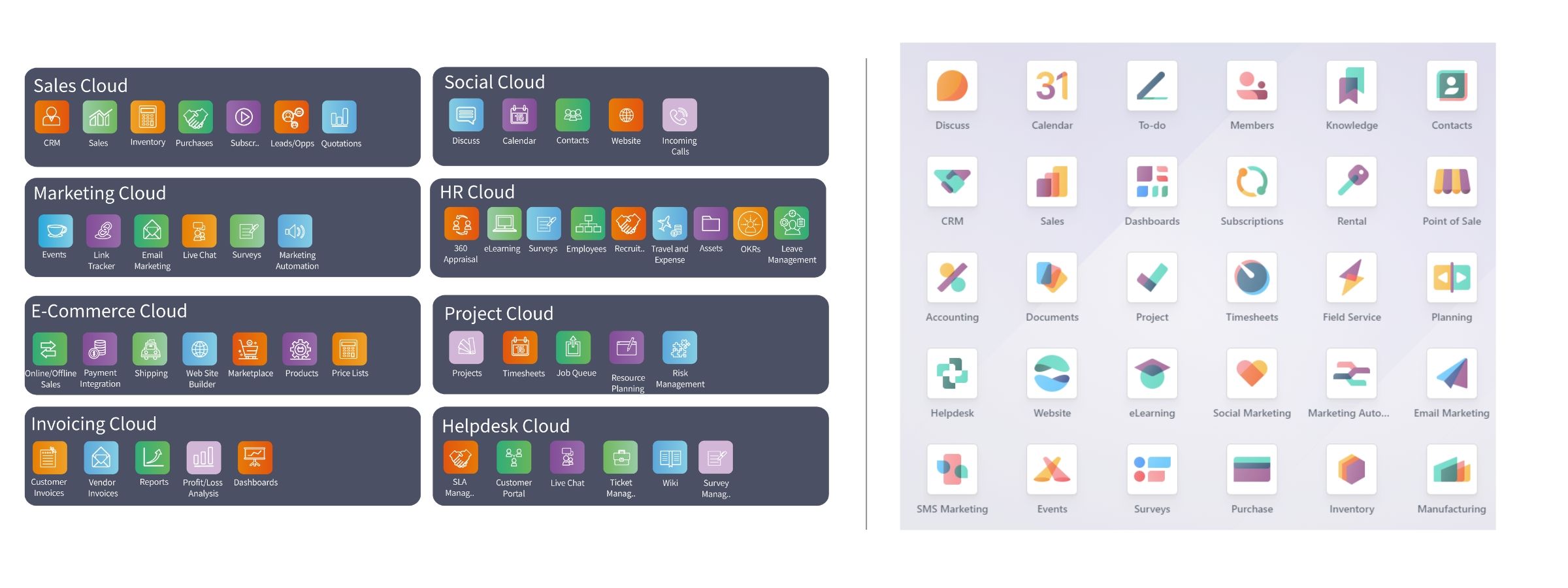
Where the two platforms differ
Core focus
Odoo is an ERP system with a wide array of business management applications, designed for businesses building one integrated system from inventory management to accounting.
CloudOffix: An AI-native business operations platform with ready-to-use apps for customer and employee processes, suited to organizations that want a connected front office with configured AI agents, alongside an existing ERP where that fits.
Customization and flexibility
Odoo is highly customizable thanks to its modular structure; complex customizations often involve developer expertise, and some requirements may call for customization.
CloudOffix: CloudOffix Agentic App Builder lets business and technical teams adapt processes and build applications with low-code tools, reusing existing records, permissions and approvals.
User experience
Odoo offers a wide range of features; for users outside ERP roles the interface can take time to learn, and optimizing usability can involve technical expertise.
CloudOffix: A modern, intuitive interface built for business users, with a short learning curve and a consistent experience on every screen.
Odoo vs CloudOffix
- Natively integrated front-office applications with extensive features
- Core front-office needs covered without custom development
- Modern, user-friendly UI/UX
- Low-code customization without server restarts; automatic upgrades with customizations preserved
- Built for front-office processes such as sales, marketing, projects, helpdesk and HR self-service
- Reliable, responsive customer support and after-sales service
- Many apps across a broad marketplace, with overlapping options to choose from
- Some requirements may call for additional development
- Custom app upgrades are handled manually, and customizations involve an app server restart
- Front-office processes may use third-party tools such as Mailchimp
- Strong focus on back-office processes such as finance and accounting
Adapt it with CloudOffix Agentic App Builder
Customizations should extend standard functionality, not compensate for missing essentials. With CloudOffix, the core front-office apps come ready to use, and CloudOffix Agentic App Builder handles the models, interfaces and process steps unique to your business, connected to the rest of the operation.
Complement, consolidate or replace
Decide by the process you want to improve and the evidence, not by the product category.
Complement
Keep Odoo for finance and back-office processes and run front-office processes on CloudOffix, with the source of truth and allowed actions defined per record.
Consolidate
Move selected front-office processes to CloudOffix applications where shared records and approvals reduce manual handoffs.
Replace
Replace a process only with a clear business reason and a transition plan covering data, integrations and phased rollout.
See CloudOffix in action
Tell us about your team, the process you want to improve and the systems involved, and we'll set up a personalized demo.