
Platform
Industries
Journeys
Resources
Partners
Company

Tailor-made integrations for your unique systems.
CloudOffix APIs and event-driven webhooks let custom applications, local software and partner systems send data, request information and trigger authorized actions in your processes, beyond predefined connector libraries.
Every system your process needs can take part
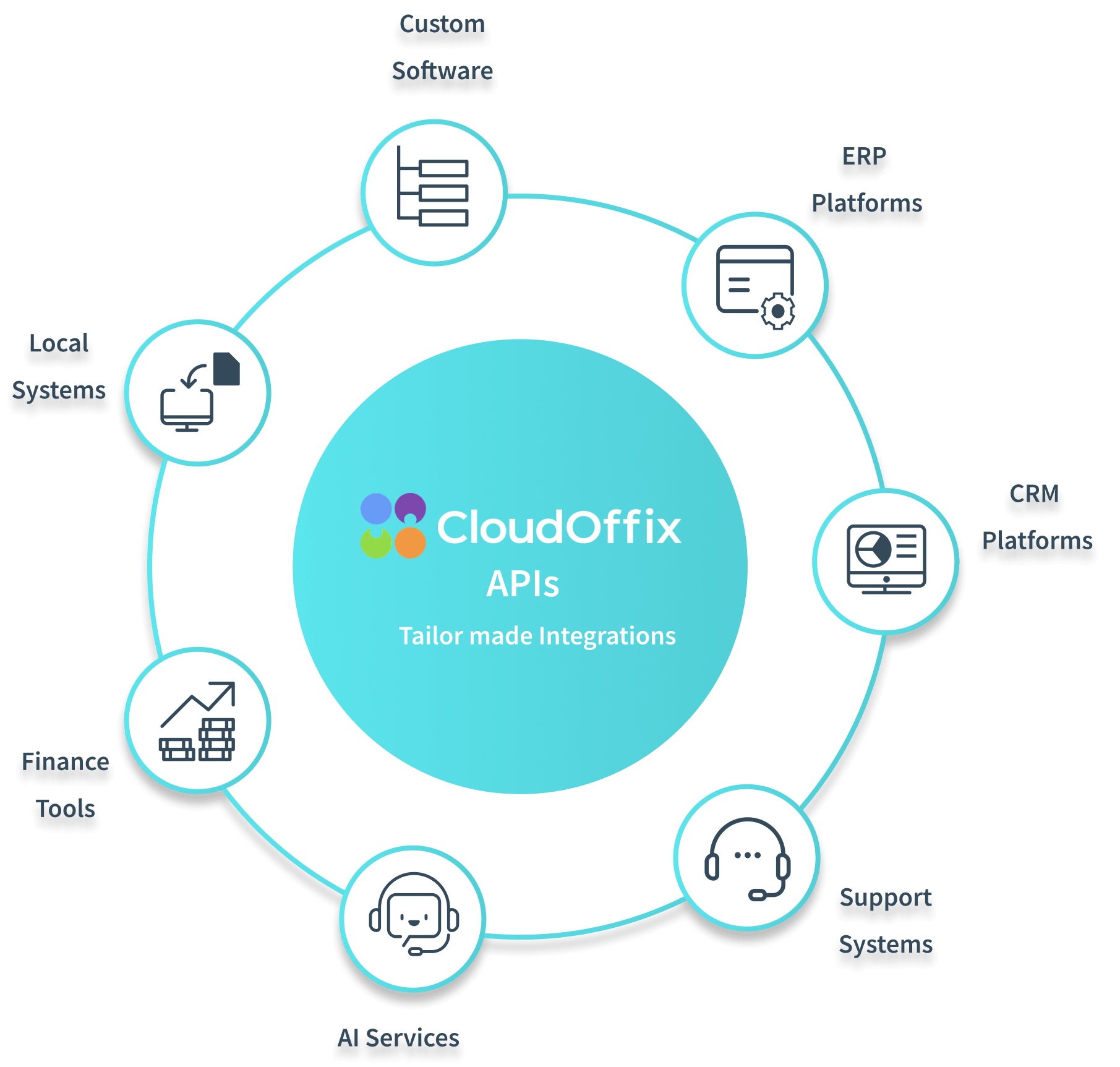
Every organization runs on its own mix of internal tools, local software and specialized applications. When integrations are limited to predefined connector libraries, many of those systems stay outside day-to-day operations.
CloudOffix APIs let you build tailor-made integrations that connect any system to the platform, so you can extend processes, synchronize data and integrate even custom or locally developed solutions.
The cost of closed systems
Manual data transfers
Without direct exchange, teams rely on exports, imports and repeated updates. Operations slow down, errors creep in and data falls out of sync.
Limited integrations
Predefined connector libraries support only so many tools. Custom applications, local software and partner systems quickly hit their limits.
Automation and agent barriers
Automation and agents depend on systems exchanging information. Limited integrations leave steps manual and keep agents away from the context they need.
Broken processes
Processes rarely live in one system. When platforms can't communicate, processes break between tools and teams keep switching environments.
Let any system work with CloudOffix
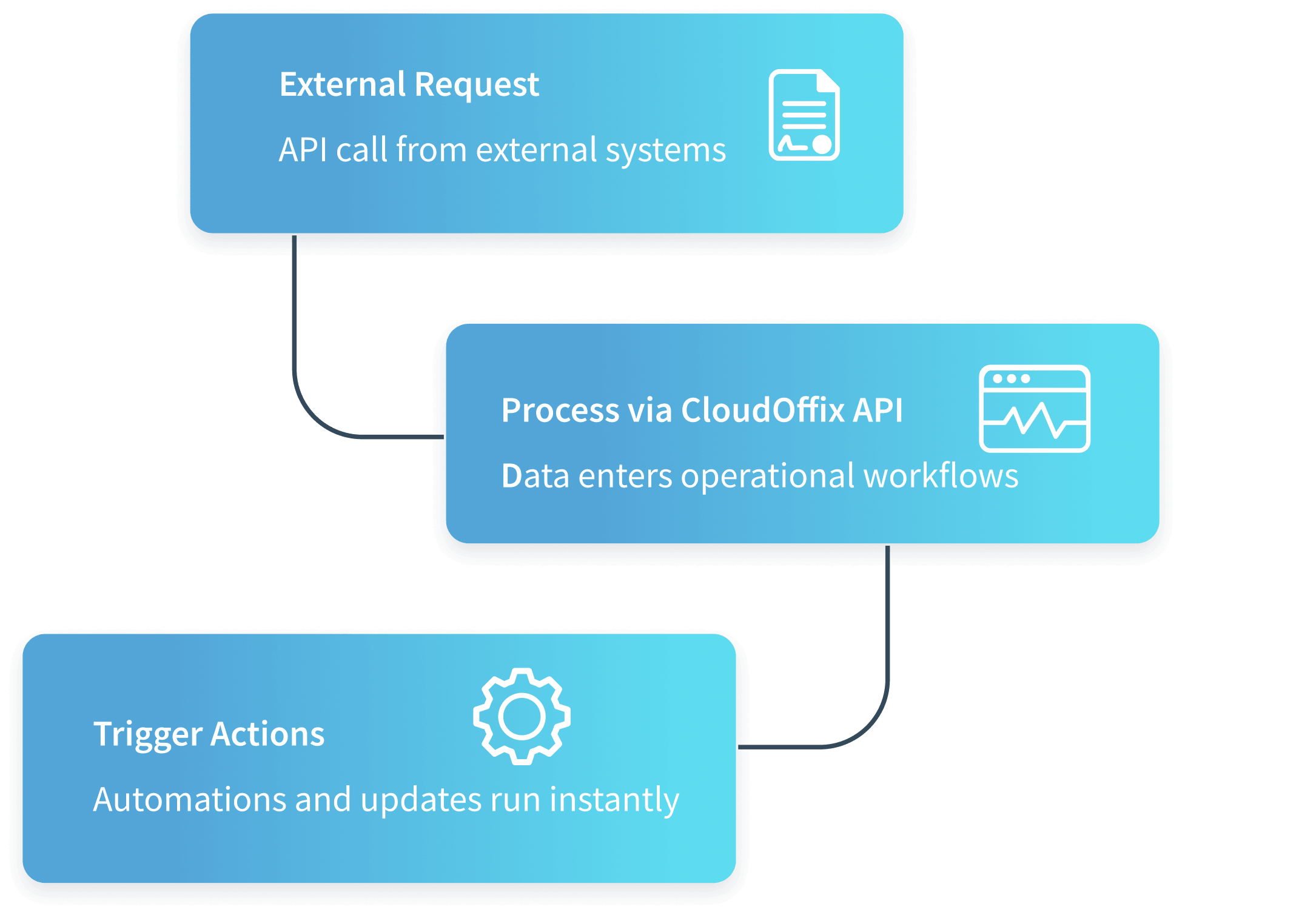
External systems can send data, request information or trigger actions across processes, giving AI and automation tools the data they need.
Extend your platform through APIs
Connect internal tools, local software, partner systems or custom applications directly to the operational platform, with no dependence on predefined connectors.
- Send data
- Trigger processes
- Receive updates
Instant notifications
Notify external systems the moment important events happen inside CloudOffix, so connected platforms stay in sync.
Event triggers
Record changes, process steps and system updates can automatically trigger processes in connected systems.
Continuous sync
Instead of repeated polling, systems react to events instantly, for faster automation and more efficient data synchronization.
How systems communicate through APIs
Each request runs under authentication and permissions, so external systems and AI agents act only within what you allow.
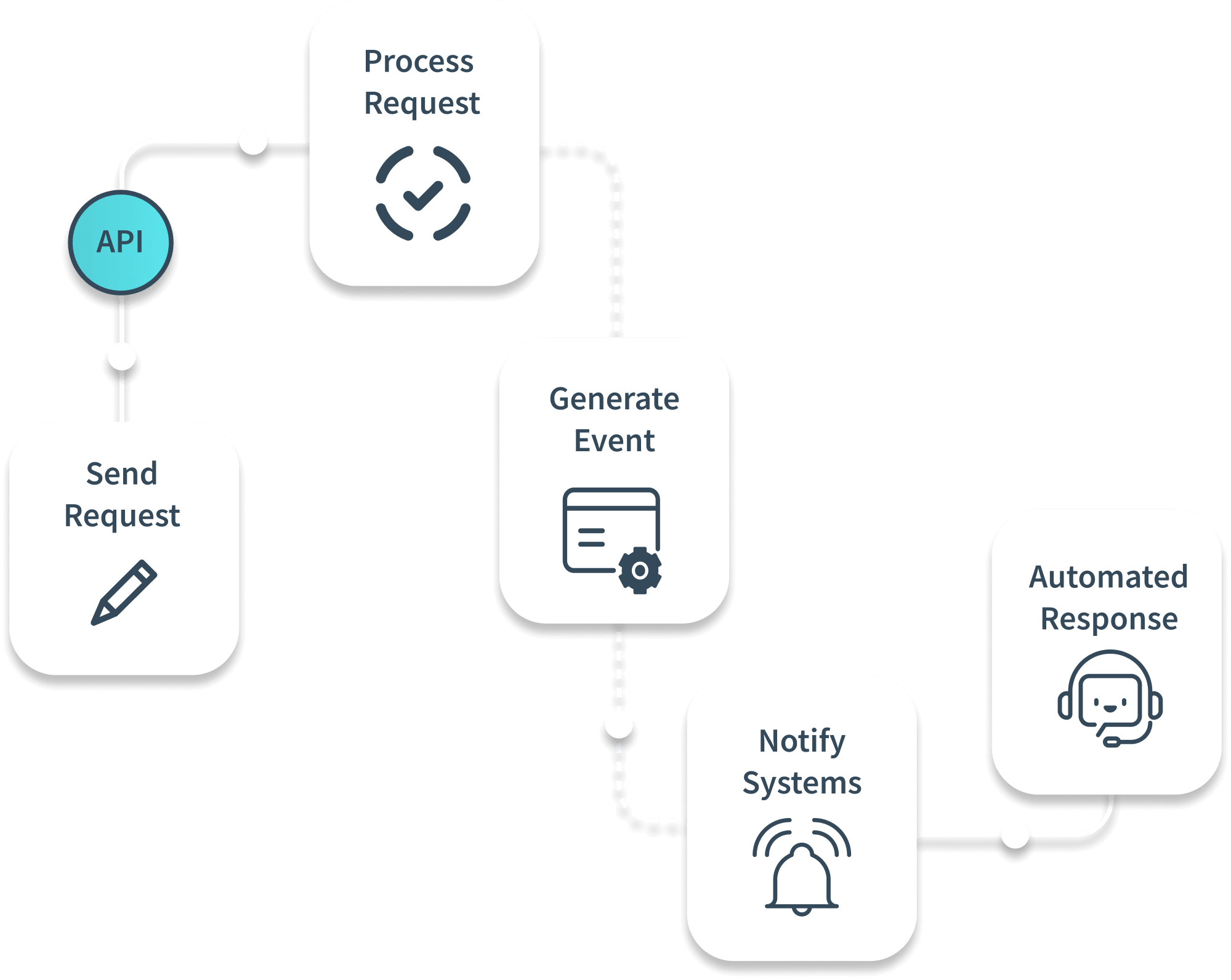
Send request
An external system sends data or triggers an action through the CloudOffix API.
Process operation
CloudOffix verifies authentication and permissions, then processes the request inside the platform.
Generate event
When the operation completes, the platform generates events that reflect the activity.
Notify systems
Connected platforms receive updates through event-driven communication instead of repeated polling.
React within agreed rules
External systems, automated processes and AI services respond to those events, while decisions that need approval are routed to the responsible people.
Design each integration around the process
An API connection is part of a business process. Agree these with the responsible teams.
- Which system is the source of truth for each record
- How data is mapped and validated
- Which events notify which systems, and when
- Which actions each external system or agent may trigger
- How failed requests are handled and who is alerted
- Which team owns the integration
What open integration can deliver
What you can measure.
Connect the systems you keep
Integrate internal tools, local software and partner platforms without replacing what you already use.
Real-time operations
Information flows instantly between systems, so decisions run on live data, not delayed updates.
Automation across platforms
Processes trigger actions across multiple systems, and manual coordination runs in the background.
AI-ready integrations
Configured AI assistants and agents can request operational data from connected systems in real time, within the permissions you grant, without storing everything in one place.
Adapt to your business
Open APIs let you integrate custom applications and fit the platform to your unique operating model.
Future-ready architecture
Adopt new technologies, services and platforms without disrupting existing operations.
More of the CloudOffix platform
Try it on your own business.
Try CloudOffix free for 15 days, or book a demo and bring the custom or local systems you need to connect. We'll design the events, permissions and error handling together.