
Platform
Industries
Journeys
Resources
Partners
Company

More than a task list. Your business, ready to run.
ClickUp is a flexible workspace for team productivity. CloudOffix gives you ready-to-use apps for CRM, projects and tasks, sales, helpdesk, marketing and HR on one AI-native foundation, so tasks stay connected to the customers, projects and people behind them.
CloudOffix vs ClickUp
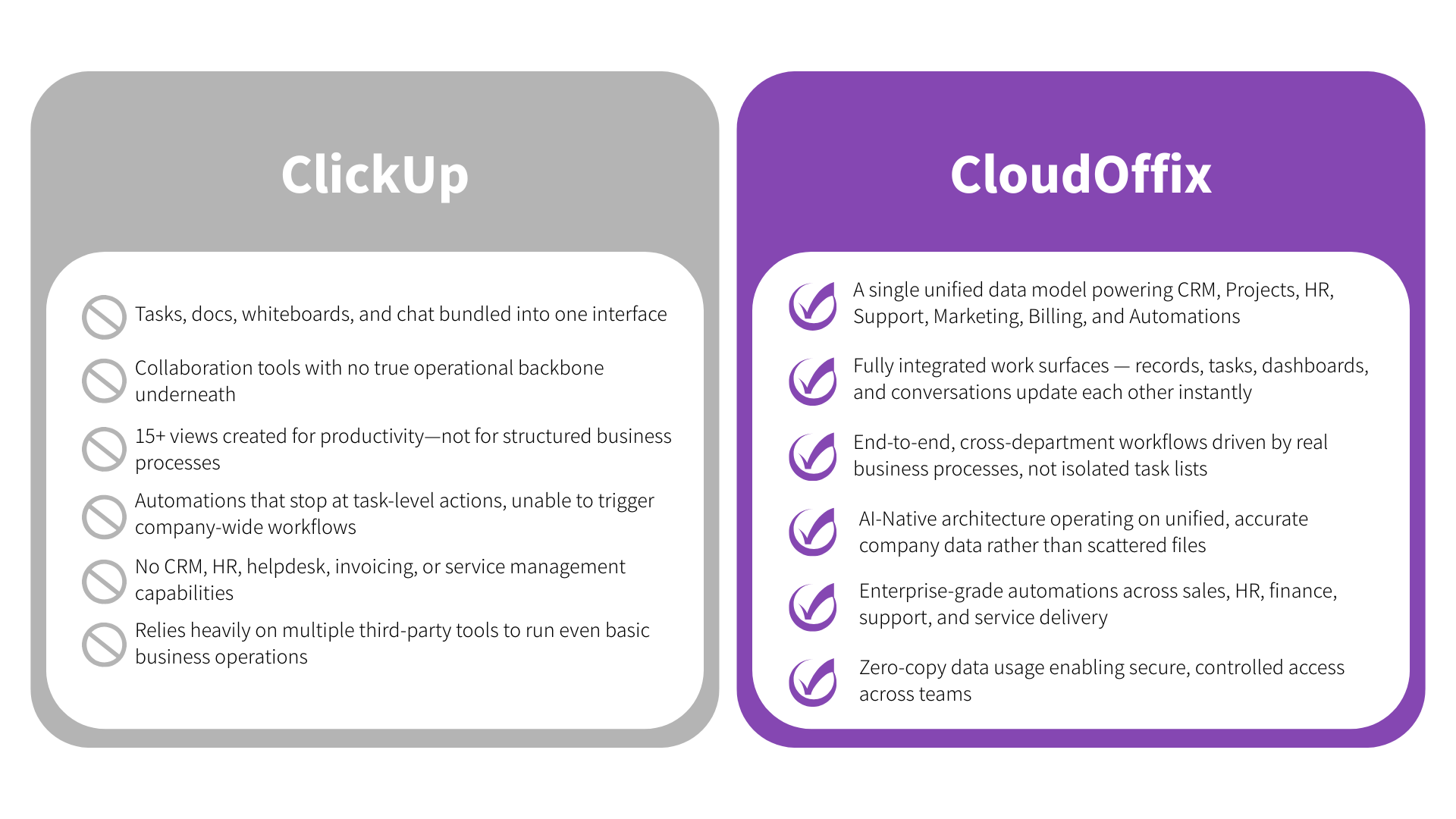
A business operations platform and a task workspace
Tasks work best when they are connected to the customer, project and employee records around them.
How the two platforms compare
Core purpose
ClickUp: a flexible project and task management workspace.
CloudOffix: An AI-native business operations platform covering CRM, projects and tasks, sales, collaboration, helpdesk, marketing and HR.
AI approach
ClickUp: ClickUp Brain focuses on productivity, assisting with writing, summarizing and task automation.
CloudOffix: AI built into the platform, working on shared organizational records within user permissions, so assistants and agents can take part in defined steps of end-to-end workflows.
One platform or connected tools?
ClickUp: CRM, billing, HR, support and finance are typically handled by connected tools.
CloudOffix: Native applications for these functions, with integrations for the systems you keep.
Customization and low-code
ClickUp: customizable tasks and views, with automation centered on work management.
CloudOffix: CloudOffix Agentic App Builder for custom apps, forms and process steps.
Data unification
ClickUp: data from other business systems arrives through integrations.
CloudOffix: A single, shared data model across the entire platform.
Scalability
ClickUp: well suited to teams and projects; scope widens as more functions connect.
CloudOffix: Built for multi-department, growing companies.
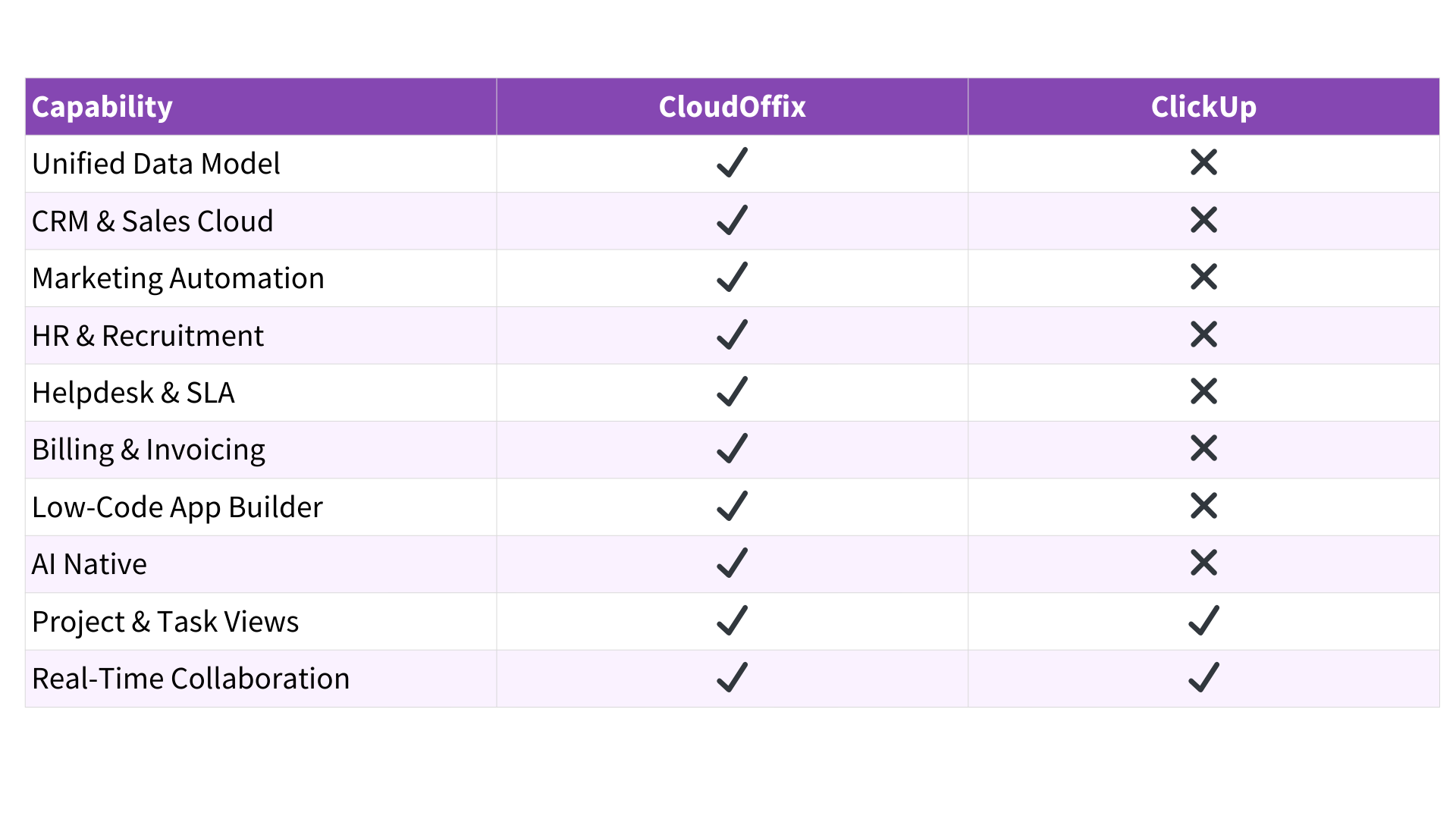
Capabilities compared
.png)
Capabilities
See how CloudOffix's connected applications compare with a task-centric workspace.
From customer request to resolved and billed
How tasks can sit inside a complete process, from request to invoice.
- 01
Receive the request
A customer request arrives in the helpdesk, linked to the account and contract.
CloudOffix app - 02
Prepare the context
An AI assistant summarizes history and suggests the right team and priority.
AI assistant - 03
Plan the work
The team lead confirms priority and turns the request into project tasks.
PeopleCloudOffix app - 04
Resolve and bill
Time logged on tasks flows to invoicing for review.
CloudOffix appPeople
Start with what is ready. Grow as you go.
Try CloudOffix free, or book a demo to see projects, CRM and service working together with AI agents.