
Platform
Industries
Journeys
Resources
Partners
Company
Resource Allocation – Visual Improvements
Overview: The Resource Allocation calendar has been visually refined to improve readability and reduce clutter, especially on days with multiple allocations for the same resource. Previously, short-duration allocations and overloaded schedules were difficult to interpret at a glance. This update introduces a cleaner timeline layout, clearer visual hierarchy, and more intuitive indicators for capacity and overtime.Start writing here...
Updates:
1. Improved Allocation Visualization:
- All allocations up to 1 hour (including 5, 10, and 30-minute tasks) are now displayed using a minimum visual height to ensure readability.
- Allocations longer than 1 hour continue to scale proportionally based on their duration
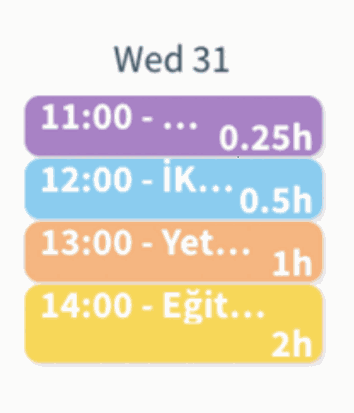
2. Simplified Timeline Display:
- Allocation blocks now show only start time and duration directly on the timeline.
- Detailed information has been moved into hover tooltips, reducing visual noise.
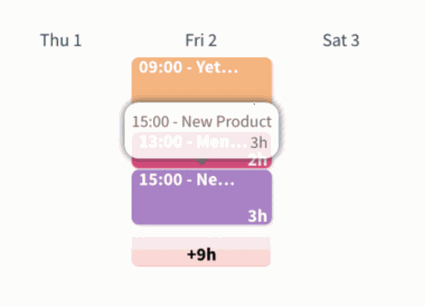
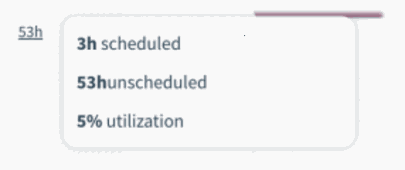
3. Enhanced Capacity & Overtime Indicators:
- UI color codes have been refined to clearly distinguish workload states:
- Red: Capacity exceeded for the selected time period (overtime)
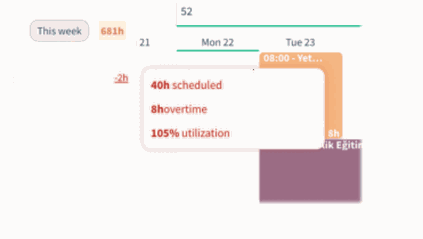
- Orange: Partial overtime combined with unscheduled time
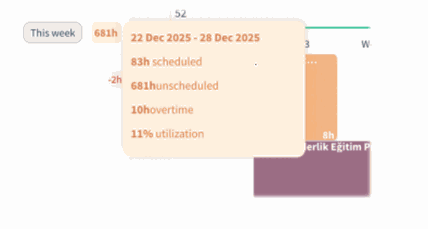
- Neutral colors: No capacity issues
Benefits:
• Track Code Changes Better Readability: Short allocations no longer disappear or become visually compressed.
• Instant Overtime Awareness: Users can immediately identify over-allocation and capacity issues.
How it works?
- Open the Resource Allocation calendar in selected time.
- All short-duration allocations appear with a consistent minimum height.
- Hover over any allocation to view detailed information in the tooltip.
- Capacity status is instantly visible through updated color indicators.
See it on your own processes.
Start a free 15-day trial or book a demo with our team.
Related articles
Semantic Index Overview
Semantic Index turns CloudOffix into an intelligent knowledge base: search by meaning instead of keywords, across records, documents and conversations.
Advanced SMTP Configuration
Advanced SMTP Configuration in CloudOffix gives teams more control over outgoing email to meet stricter Gmail and Outlook deliverability rules.
Chat Experience & AI Conversation Improvements
CloudOffix chat update: smarter handling of inactive chats, clearer ordering and pagination, and easier navigation between direct messages and AI conversations.