
Python Code History Tracker
12 February 2026 , New Features
Overview: Python code fields across the system (Scheduled Actions, Automated Actions, etc.) now include a Code History feature. Each update is automatically stored, allowing users to view up to the last 30 versions of the code for easier tracking, debugging, and auditing.g here...
Updates:
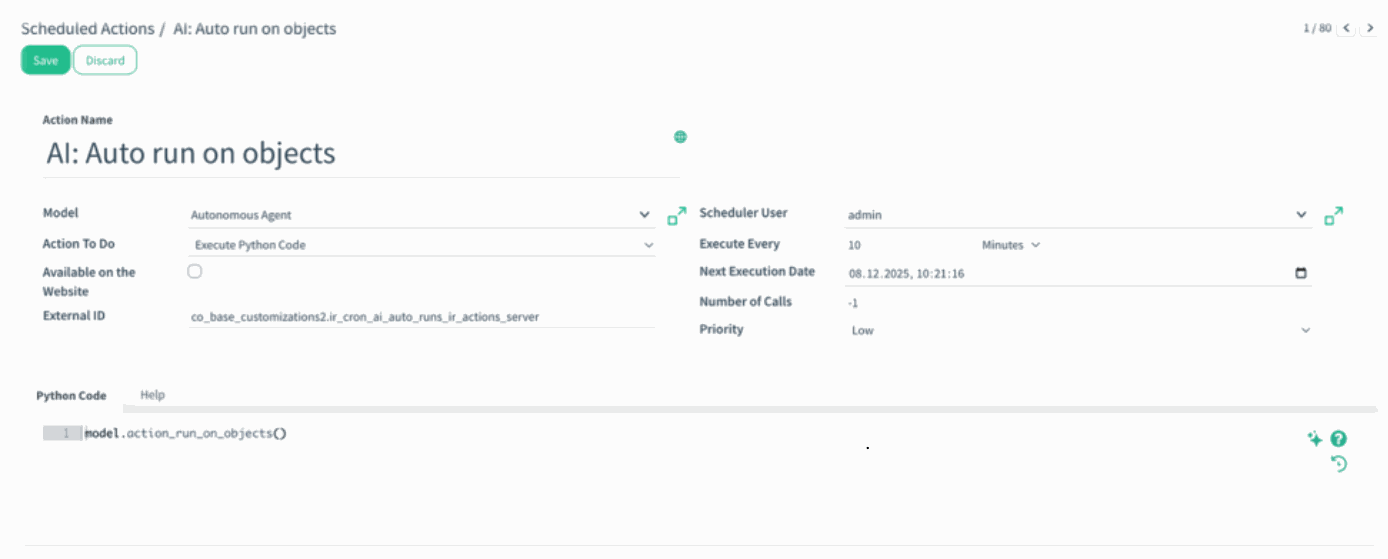
1. New History Button: A history icon has been added to all Python Code areas. Users can open it to instantly view previous code versions.
2. Automatic Version Logging Each update is captured with date, user, model, field name, and record ID.
Benefits:
• Track Code Changes Effortlessly: View up to 30 previous versions of any Python code field, making it easy to understand what changed, when, and by whom.
• Safer Customization: Quickly compare past versions to identify issues or revert logic, ensuring more reliable and transparent customization management. How it works? - Open any area that contains a Python Code field (e.g., AI: Auto run on objects).
How it works?
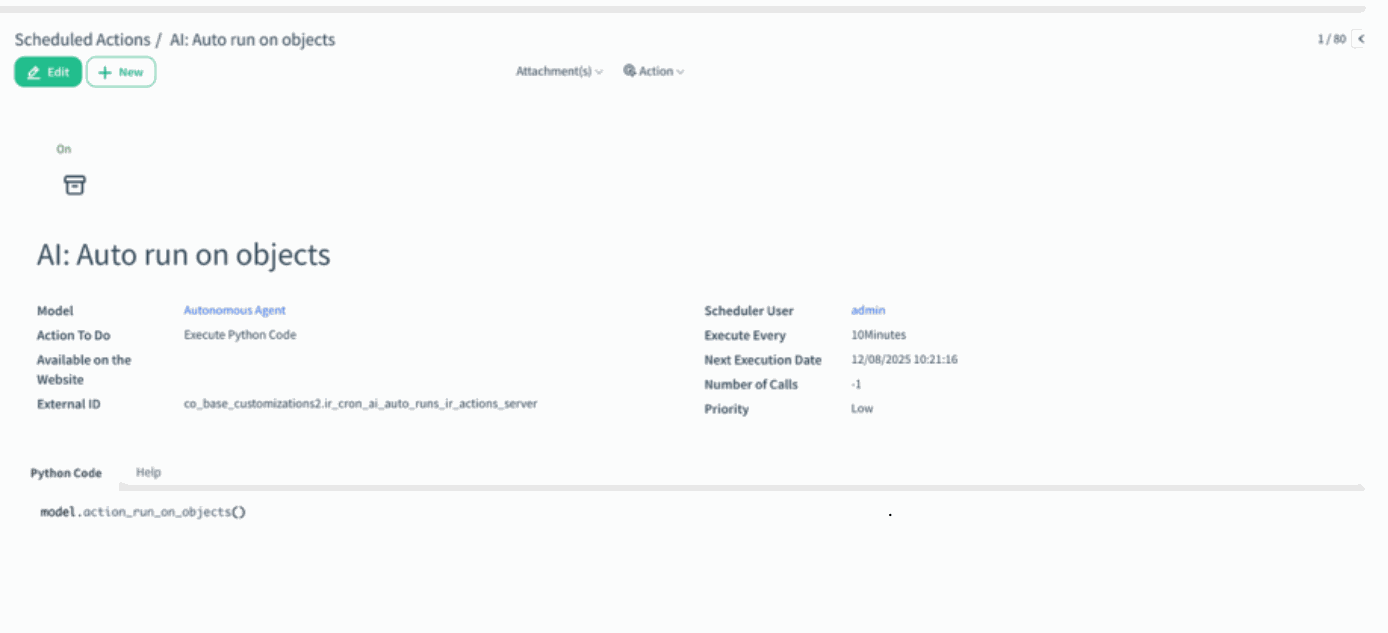
Open any area that contains a Python Code field (e.g., AI: Auto run on objects).
)%20(99).png?access_token=afc69352-02a4-4e58-82d1-51a053e064b1)
- Go to the Python Code section and click Edit — the History icon will appear on the right side of the editor.
)%20(100).png?access_token=9df13e0e-50c6-4285-8f56-d291c3d2e3fd)
- Click the History icon to view all previously saved versions in a dedicated modal.
)%20-%202026-02-12T140335.973.png?access_token=641441e1-763c-4d20-81bf-b10e1e7d0ca9)
- Review or compare past versions as needed