
Overview: A refreshed portal experience is now available across Support, 360 Appraisals, and CRM modules. While new customers have already been using this modern UI, a new setting has been introduced to allow existing customers to switch to the updated design as well. This ensures a consistent, cleaner, and more user-friendly portal experience for all users across all modules.
Updates
1. New “Use New Portal Design” Toggle Added: A new backend setting has been added to Support, 360 Appraisals, and CRM modules. When enabled, the portal view automatically switches to the redesigned UI.
Benefits:
• Cleaner and More Modern Interface: Users see a consistent visual design across all portal modules, improving usability and overall product perception.
• Instant Upgrade for Existing Customers: With just one toggle, existing customers can adopt the new portal design without requiring any migration or technical adjustments
How it works?
- This enhancement applies to three modules — Support, 360 Appraisals, and CRM. The activation path is the same for all of them, but let’s walk through the flow using 360 Appraisals as the example.
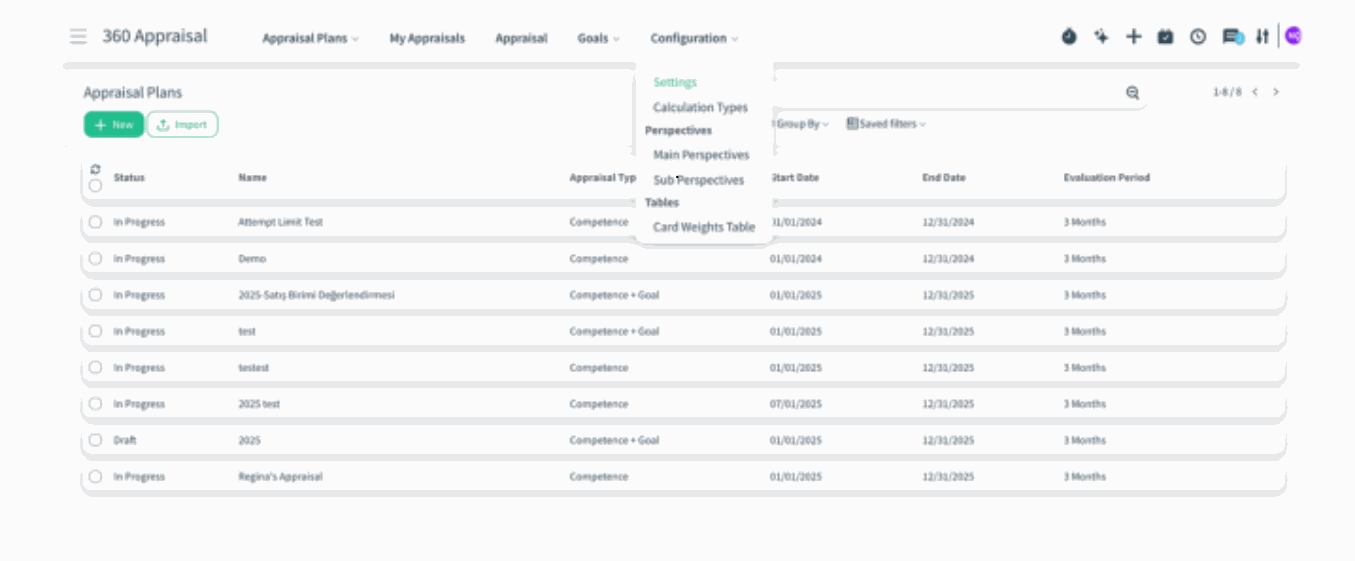
- Open the 360 Appraisals module and navigate to Configuration → Settings.
)%20(92).png?access_token=c104d518-eeeb-44af-b2d0-a6137d95d4c7)
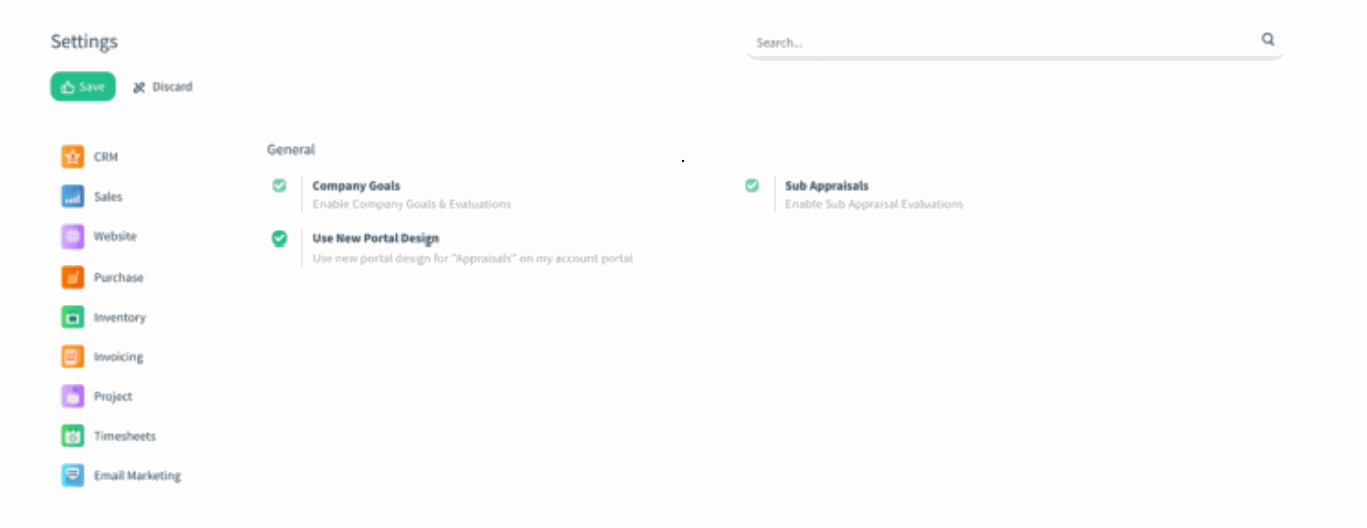
- Inside the Settings page, find the existing Use New Portal Design toggle — available for customers still using the old portal layout. Enable the toggle to switch the 360 Appraisals portal to the new, modern UI.
)%20(93).png?access_token=eb320ab6-b2b1-444b-8f66-4ae38ab87c38)
- The moment the toggle is activated, the portal instantly updates with the refreshed layout, improved visuals, and cleaner navigation.
- The same toggle can be enabled from the Support and CRM settings pages, allowing each module’s portal to adopt the new design individually.