
Revenue isn’t won once. It’s protected every day.
CloudOffix Helpdesk Cloud connects service, customer data, workflows, and AI — so support becomes a proactive retention engine.
Watch the video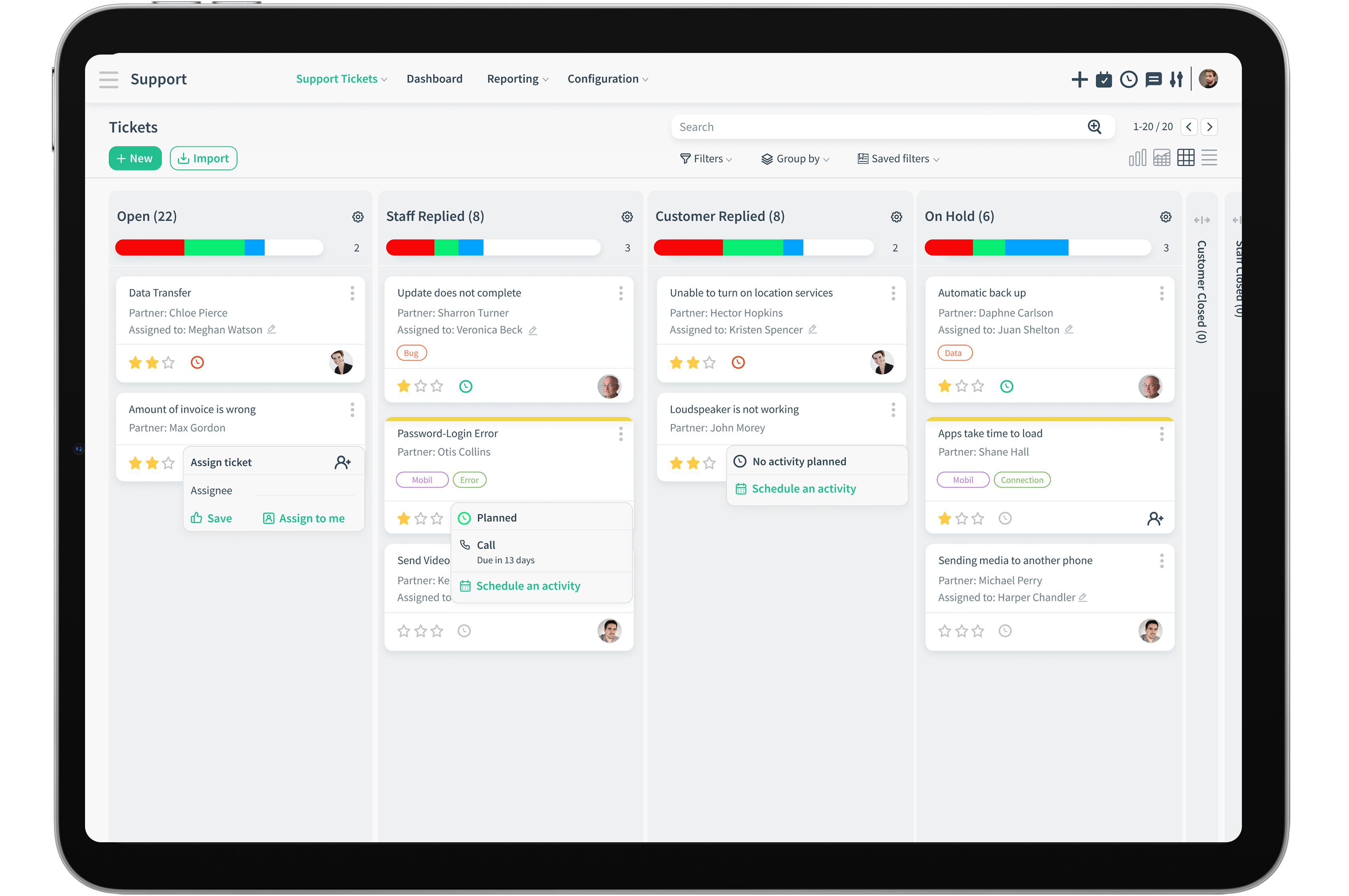
Create Tickets
Discover the many convenient ways to easily create tickets
Multichannel Customer Support System
Create tickets through different channel sources
Automatically turn incoming emails into support tickets. Cloudoffix parses the content and assigns it to the right team immediately.
Engage with customers in real-time through live chat. Convert chat sessions into full support tickets with a single click.
Customizable support forms on your website allow customers to provide structured details about their issues.
Monitor brand mentions and direct messages across platforms. Convert relevant conversations into tickets easily.
Empower your agents to create tickets manually during phone calls or walk-ins, ensuring every interaction is tracked.
Smart sorting of tickets
CloudOffix Helpdesk Cloud simplifies work for agents where in return, your team can focus on making customers happy.
Prioritize
Automatically identify high-priority tickets based on keywords, sender importance, or specific service levels. Our system ensures critical issues never get lost in the noise.
Categorize
Intelligent categorization of incoming requests into predefined buckets, making it easier for teams to manage specialized workloads efficiently.
Assign to the right people
Route tickets to the most qualified agent or department based on expertise, availability, and historical performance.
Response
Accelerate response times with intelligent templates and automated acknowledgments while keeping the human touch where it matters most.
Solution
Leverage internal knowledge bases and previous resolutions to provide accurate solutions quickly and consistently across the board.
Ticket closed
Close the loop with customer satisfaction surveys and detailed resolution summaries to ensure a high standard of support.
No need to switch between multiple tools to manage your customer support journey.
Collaborate with Team Members
Working together through a beautiful interface is the key to success in customer support systems. Collaboration capability of CloudOffix makes users happy even on heavy tasks.
All team members can share their ideas about the tickets very easily. Successful collaboration helps users become more transparent, efficient, and productive.

Improved Collaboration
the chance to collaborate with team mates straight inside the ticket chatter, through personalized channels or direct messaging.

Seamless communication
Don’t stop what you’re doing to switch between apps to collaborate with colleagues.

Increased accountability
Assign, schedule, tag the right team member for the requested support.
Follow up SLA’s

Categorize and prioritize!
Create SLAs according to the category and urgency of tickets. Some tickets may also have special SLA agreements with customers.

Create SLA’s specific to customers.
According to the specified SLA Rules, tickets can be replied and solved according to the SLA deadlines.

Tik-Tok! Tik-Tok! – Time is ticking!
Zaman zaman SLA uyumluluğunu kontrol edin ve temsilciler için otomatik hatırlatıcılar ve SLA karşılanmadığında yöneticilere yönelik belirli iletimler ayarlayın.
Remote Access
We have integrated another tool, so you don't have to switch between them.
Natively integrated with TeamViewer gives remote access and the ability to remotely resolve issues. Use session logs as canned responses or future references.
Send Surveys

Feedback
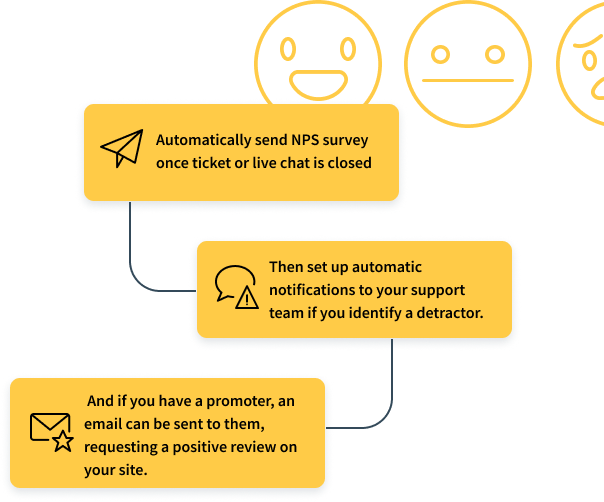
Request feedback about customer experience. Send automatic surveys after closing each ticket.

Measure and refine
Measure the performance of your support team and happiness of your customers.

Evaluate your way to top support
In order to reach top performance rating for an immaculate customer support department, agents can be rated and evaluated by customers. Adequate training and development can be provided to enhance performance.
NPS – Net Promoter Score
One question surveys with big results
NPS surveys may be little in nature but are big in results! Long surveys are usually avoided, while single question surveys made up of emojis are quickly answered without a second thought.
Reporting and Analytics
No need for another BI solution to see all the details.
Have direct access to monitor important information necessary for your business.
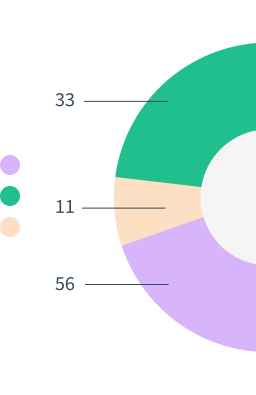

Reports
Reporting is the most crucial point in analyzing any part of business. Create custom reports consisting of any detail, variable, date range and type.

Analysis
Analyze agent KPI's, customer satisfaction rates to better the overall performance

Dashboard
Monitor the process of customer satisfaction, average time taken to close tickets, and agent performance through easy to use advanced analytical and reporting tools.
Customization
Out-of-the-box, one size fits all solutions don't do justice for all businesses. CloudOffix offers the opportunity to customize and make it your own.
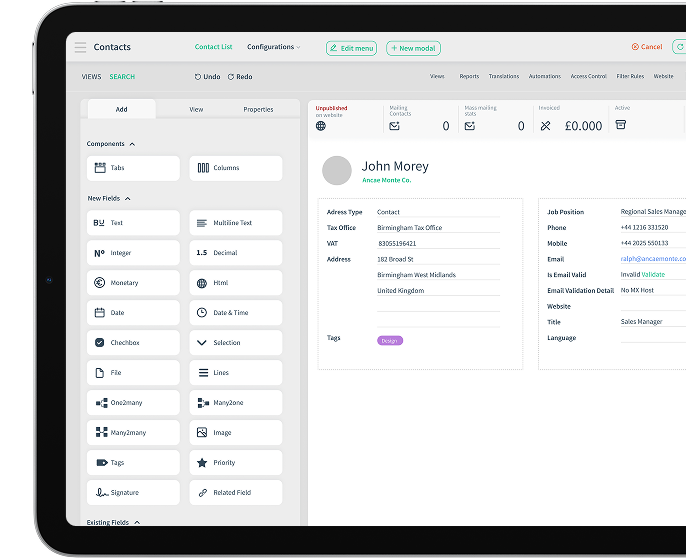
No Code Approach
Introducing the App builder





Low-Code Approach
Whenever you fall short, or simply want something completely different, We can save the day! Our dedicated development team can tailor-make your platform to fit just right.
Super custom made business platform solution for super unique businesses!
 HR Cloud
Complete the flow!
Employees are the first customers of any business, therefore their satisfaction, performance metrics, and conditions will affect the outcome of the business overall. HR Cloud comes into play here, keeping employees happy, well trained and satisfied. Keeping employers happy through KPI metrics, reporting, and appraisals.
Helpdesk Cloud works well integrated with HR Cloud when:
- Training for new agents, is organized,
- Performance monitoring
- Promoting as a result of performance
- Measure employee performance from all angles with 360 degree appraisal
Help employees while they help your customers
Explore Now
Minimize your tools while maximizing your business
Forget trying to build your perfect customer based business solution through integrations! Cloudoffix has them all built-in from the beginning.
Try for Free