-
Products
- Run Your Operations
- Connect Your Systems
- Build Your Apps
- Automate with AI
-
Industries
- By Industry
- By Roles
- Cloudia AI
-
Resources
- Support
- Learn
- Discover
-
Partners
- Grow With Us
- Partner Positioning
- COMPANY
Overview: CloudOffix Connect now allows users to share meeting recordings effortlessly, improving the way teams collaborate by making recorded sessions accessible to relevant parties after meetings are completed.
Updates:
1. Easy Share:
Users can easily share CloudOffix Connect meeting recordings with others, ensuring that important meeting information is accessible and reusable.
Benefits:
- Post-Meeting Collaboration: Ensures all team members, even those unable to attend live, can access and review the meeting content.
How it works ?
- Go to Meeting Logs Page from Calendar —> Meeting Logs menu item.
- Then, click a log with meeting recordings.
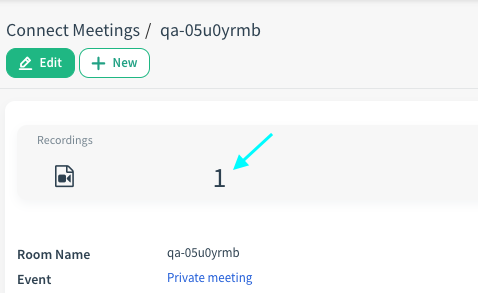
- By using Records stat button, go to a record’s page.
- Then, click Share button from Action menu.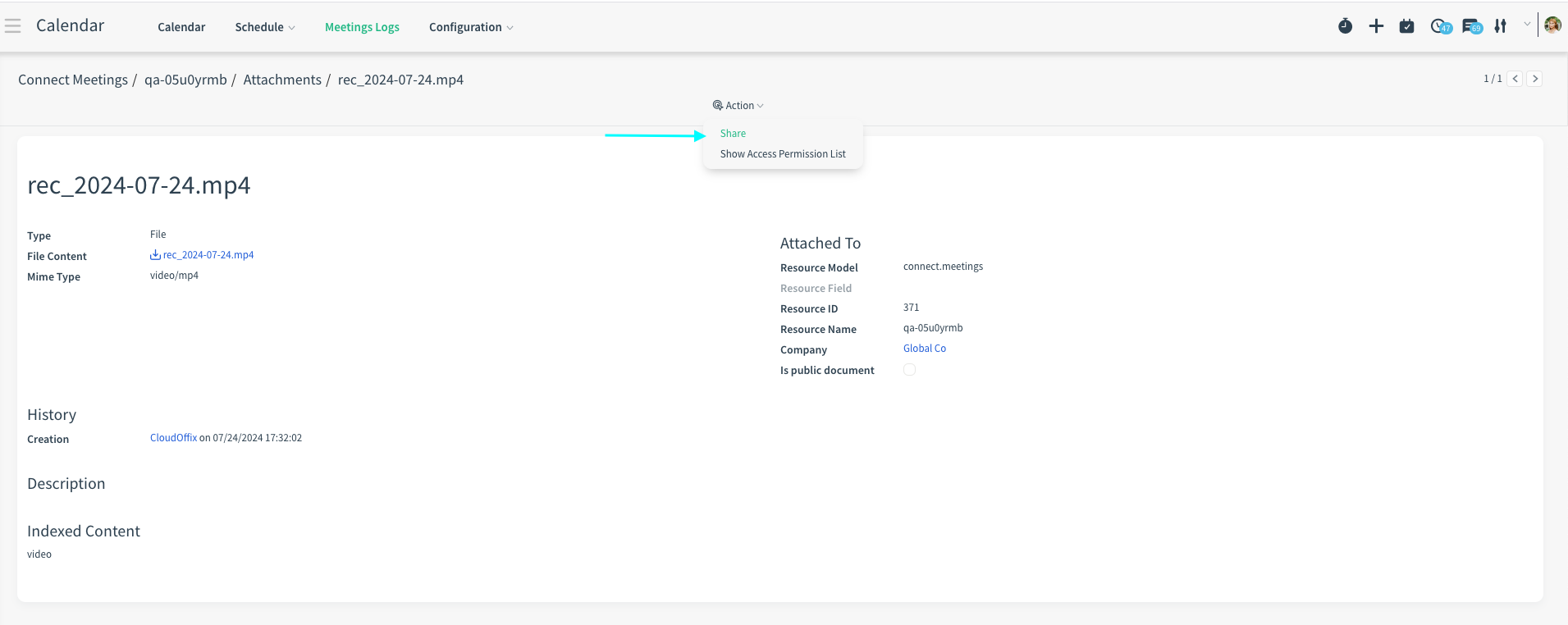
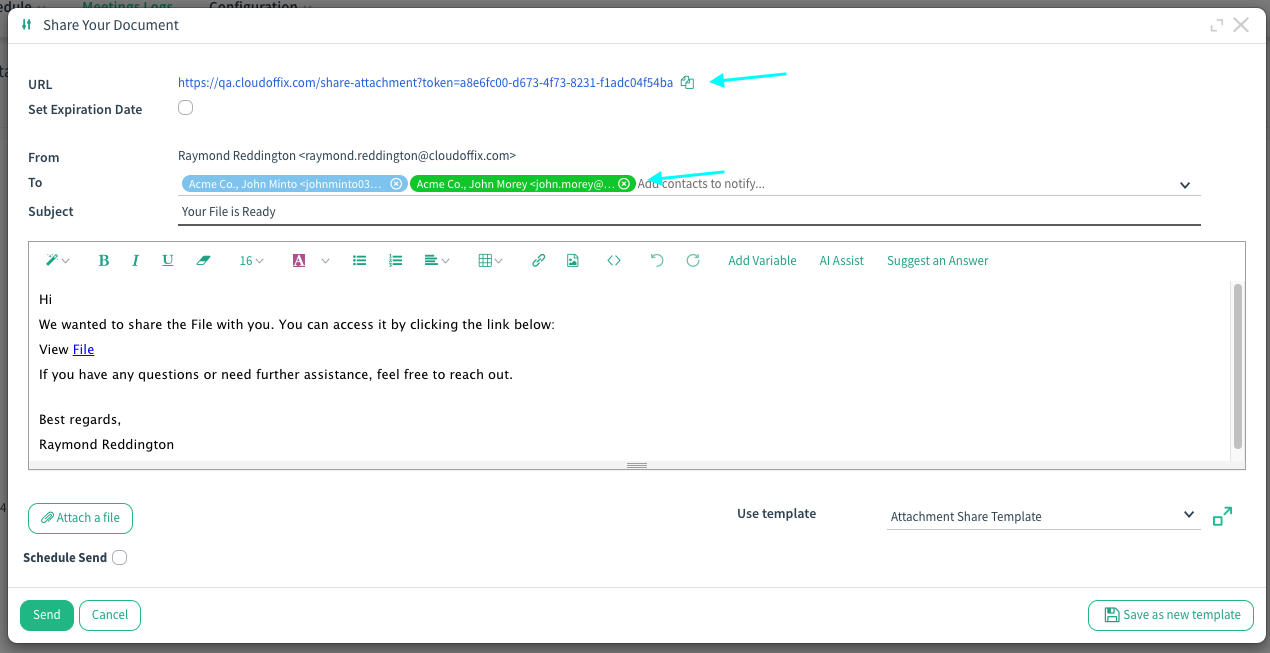
- Now, in the opening pop-up, you can copy and share the attachment’s URL or send a mail to your contacts directly.