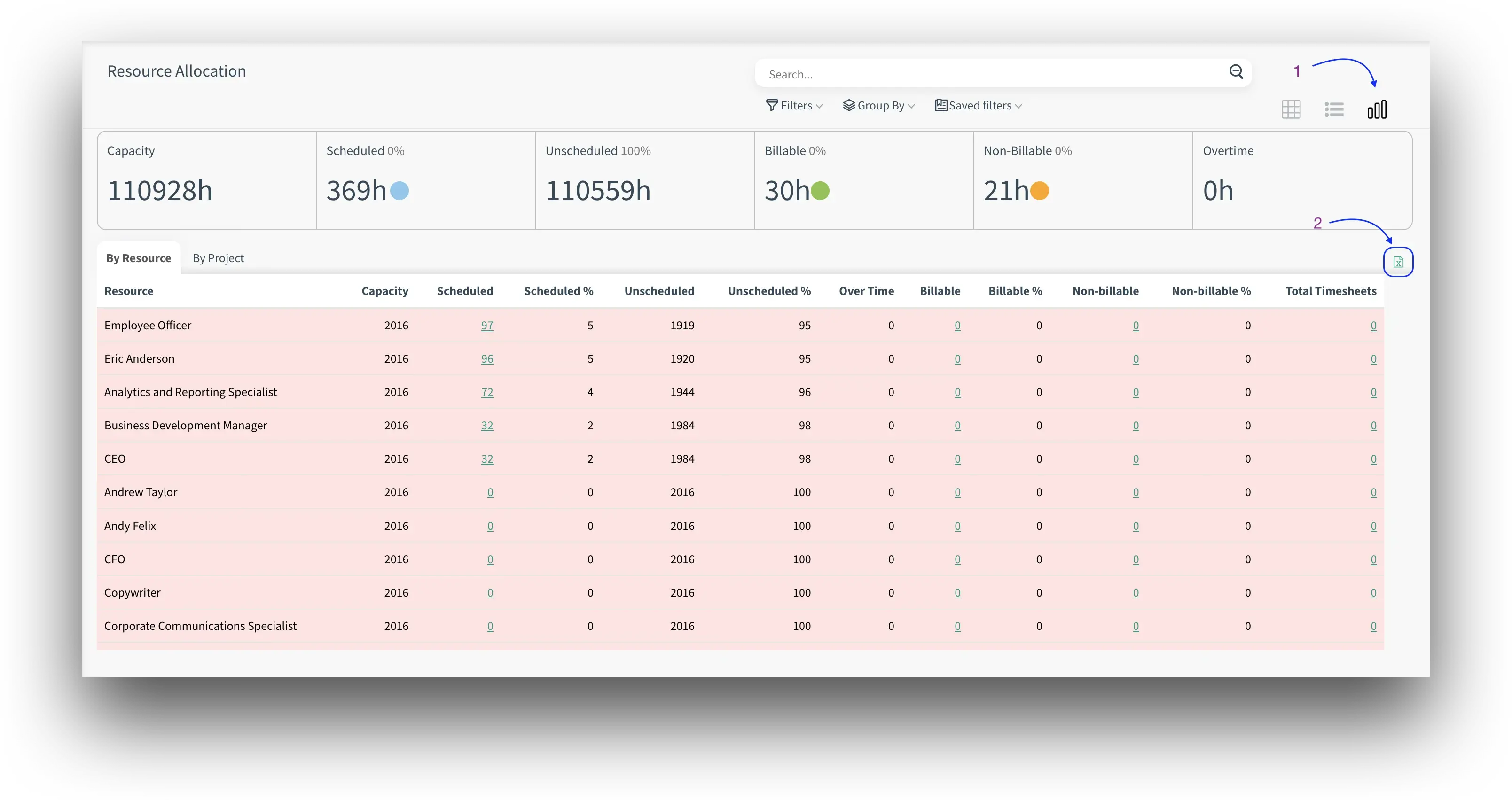
Overview: The Resource Allocation module has been enhanced with an export feature, enabling users to export reporting data into Excel for further analysis.
Updates:
1. Excel Export for Reporting:
The resource allocation reporting screen now includes an Excel export feature, providing greater flexibility for data analysis.
Benefits:
Enhanced Data Flexibility: Users can export data for offline analysis or sharing, increasing reporting versatility.
Improved Reporting: Excel exports provide more in-depth analysis and easier manipulation of data outside of the system.
How it works ?
- Click on Resource Allocation app from Project Cloud.
- Then switch to report view by clicking report view icon.(1) After, you can take excel export by clicking export button (2).
Tip: Clicking the button will get a two-page excel export with both By Resource and By Project.